
Online shoppers cannot touch, try or turn a product in their hands. Photos have to answer those questions instead: what it looks like from every side, how big it is, what the material feels like and how it will look in their life. Product image optimisation means making those photos persuasive for shoppers, fast for your pages and understandable for search engines.
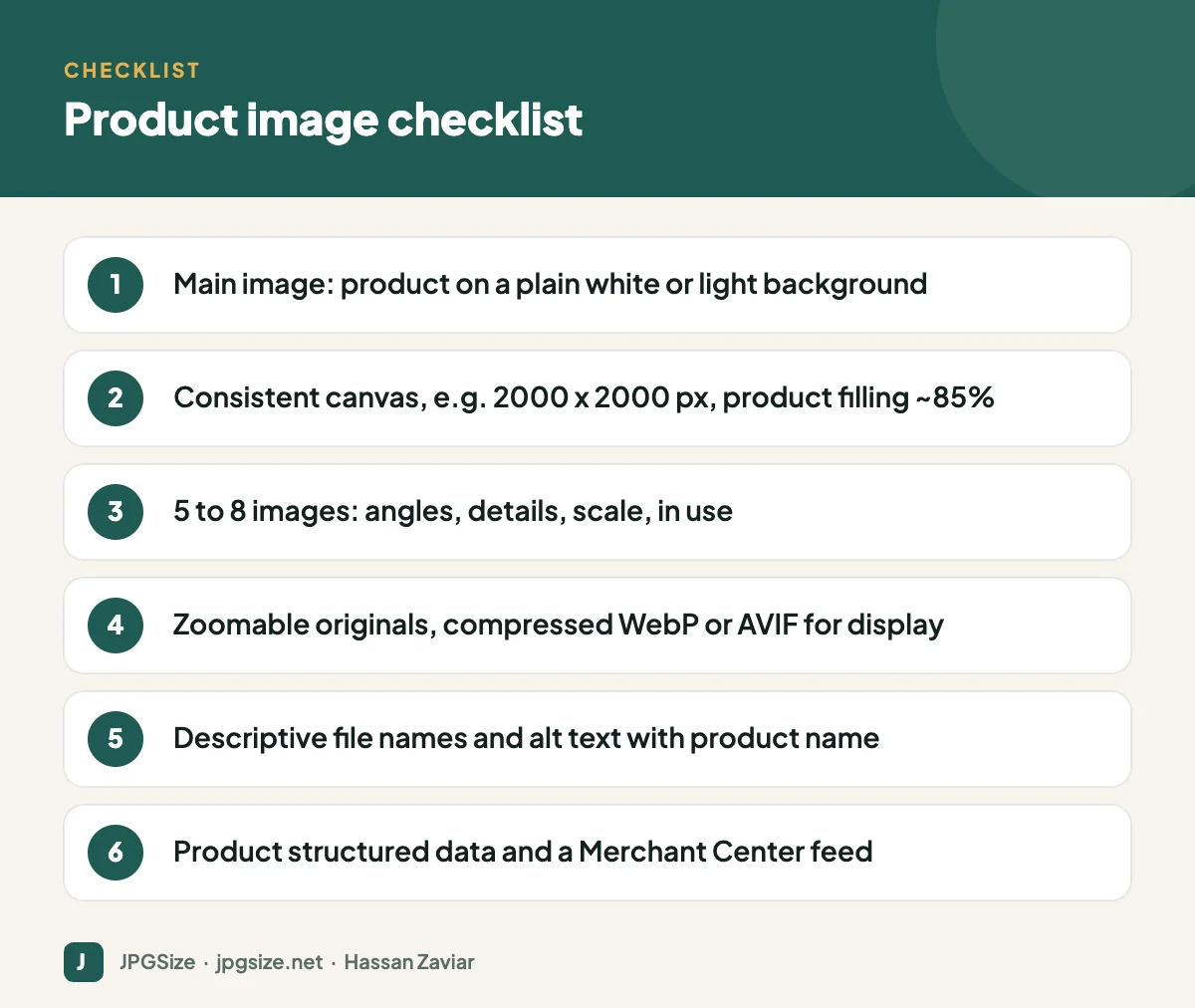
Quick answer: Optimise product images by shooting a consistent set of five to eight photos per product (a clean main image on a plain background plus angles, details, scale and lifestyle shots), exporting on a consistent square canvas large enough for zoom (around 2000 x 2000 pixels), serving compressed WebP or AVIF versions on your site, and adding descriptive file names, alt text and Product structured data.
Why product images matter so much
Images influence three things at once:
- Conversion: clear, detailed photos reduce uncertainty, which is one of the biggest reasons people abandon a purchase.
- Returns: accurate colour and scale reduce “not as pictured” returns.
- Visibility: product images appear in Google Images, Shopping results, free listings and visual search through Google Lens. See visual search SEO.
The ideal image set for each product
| Image | Purpose |
|---|---|
| Main image | Product alone on a plain white or light background, front or three-quarter view |
| Alternate angles | Back, sides, top, open and closed states |
| Detail close-ups | Material, texture, stitching, ports, labels |
| Scale | Product next to a familiar object or on a person |
| Lifestyle | Product in use, in a realistic setting |
| Variants | Every colour or finish photographed, not digitally recoloured |
| Infographic | Key dimensions or features, where helpful |
Size and canvas
Choose one canvas size and use it for the whole catalogue. A square 2000 x 2000 pixel canvas is a practical choice: large enough for zoom on most themes and marketplaces, and easy to crop for social media. Keep the product filling roughly 85% of the frame with consistent margins, so products look the same size in category grids.
Marketplace and platform requirements vary. Google Merchant Center is raising its minimum product image size to 500 x 500 pixels from 31 January 2027 and recommends 1500 x 1500 pixels or larger for best performance; Amazon’s main image rules call for a pure white background with the product filling about 85% of the frame. Always check the current rules of each channel you sell on.
Backgrounds and consistency
A plain white or light grey background for the main image keeps the focus on the product and satisfies most marketplaces. Shoot with the same lighting, camera height and distance for every product, or use a simple home setup and AI background removal to standardise backgrounds. For lifestyle scenes without a costly shoot, see AI product photography.
Speed: compress without losing detail
Category pages can load dozens of product images, so file size matters:
- Keep a high-quality master for zoom and future re-exports.
- Serve resized versions: thumbnails around 400 to 600 pixels, product page images around 1000 to 1600 pixels, zoom images larger. Most e-commerce platforms generate these automatically if you upload one large image.
- Use modern formats: WebP or AVIF for display, with JPEG where required. See WebP vs AVIF vs JPEG.
- Lazy load below-the-fold images but not the main product image; see lazy loading and SEO.
- Set width and height to avoid layout shift; see Core Web Vitals and images.
Our JPG compressor and resize image in pixels tools help with one-off images.
SEO for product images
- File names: brand, product, variant and angle, such as acme-ceramic-mug-blue-side.jpg. See SEO-friendly image file names.
- Alt text: describe the product and what the image shows: “Blue ceramic coffee mug, side view showing the curved handle”. See how to write alt text.
- Structured data: Product schema with image, name, price, availability and reviews; see structured data for images.
- Merchant Center feed: keeps your products eligible for free listings and Shopping ads across Google, with images that should match your product pages.
- Unique images: where possible, use your own photos rather than the manufacturer’s images that every other retailer uses.
Accuracy and trust
- Photograph every colour variant rather than recolouring digitally.
- Show real scale; include dimensions in the description and an in-hand or on-body shot.
- Avoid heavy retouching that changes the product.
- Keep AI-generated scenes clearly separate from the product itself.
Accurate photos reduce returns and build the kind of trust that brings customers back, which also supports your brand’s E-E-A-T.
Product images beyond your store
The same images feed Instagram shopping posts, WhatsApp catalogs, Google Ads and email campaigns, each with its own sizes. Build a simple export set for each product: square for catalogs, 4:5 for social feeds, 1.91:1 for ads and 9:16 for Stories. See Google Ads image sizes, WhatsApp Business marketing and the social media image sizes cheat sheet.
A low-cost home setup for product photos
You can produce consistent, professional-looking product photos without a studio:
- Light: a large window with indirect daylight, softened with a white curtain, or two affordable LED panels with diffusers placed at 45 degrees to the product.
- Background: a sheet of white card or paper curved from the wall onto the table (a “sweep”), so there is no visible horizon line.
- Reflector: a piece of white foam board opposite the light to soften shadows.
- Camera: a recent smartphone on a small tripod, using the main lens and a two-second timer to avoid shake.
- Consistency: mark the positions of the tripod and product on the table with tape so every product is shot the same way.
Shoot slightly wider than you need, then crop to your standard canvas in editing.
Common product image mistakes
- Different backgrounds, angles and margins across products, making category pages look chaotic.
- Images too small to zoom, so shoppers cannot see detail.
- Colours shifted by warm indoor lighting or heavy filters.
- Uncompressed 5 MB uploads that slow down category and product pages.
- Missing alt text and generic file names such as IMG_2034.jpg.
- Only one photo per product, leaving shoppers to guess about the back, the inside and the size.
Frequently asked questions
What is the best size for product images?
A square canvas of around 2000 x 2000 pixels works well for most stores, supporting zoom and cropping. Your platform will create smaller display versions automatically.
Should product images have a white background?
For the main image, a plain white or light background is recommended and often required by marketplaces. Use lifestyle and context shots as additional images.
How many images should each product have?
Five to eight is a good target: a main image, several angles, detail close-ups, a scale shot and at least one lifestyle image.
What format should product images be?
Keep high-quality JPEG or PNG masters, and serve WebP or AVIF on your website for faster loading, with JPEG where a channel requires it.
Sources and further reading
- Google Search Central: E-commerce best practices
- Google Merchant Center Help: Image link requirements
- Google Search Central: Product structured data
About the author: Hassan Zaviar writes about image optimization, SEO, AI and digital marketing for JPGSize and works on the site’s free browser-based image tools. Last reviewed: 24 September 2026. Spotted something out of date? Tell us and we will update it.

