
Lazy loading means the browser waits to download an image until the visitor scrolls near it. On a long article or product listing, that can save megabytes of data and make the first screen appear faster. Used carelessly, it can also delay your most important image and hide content from search engines.
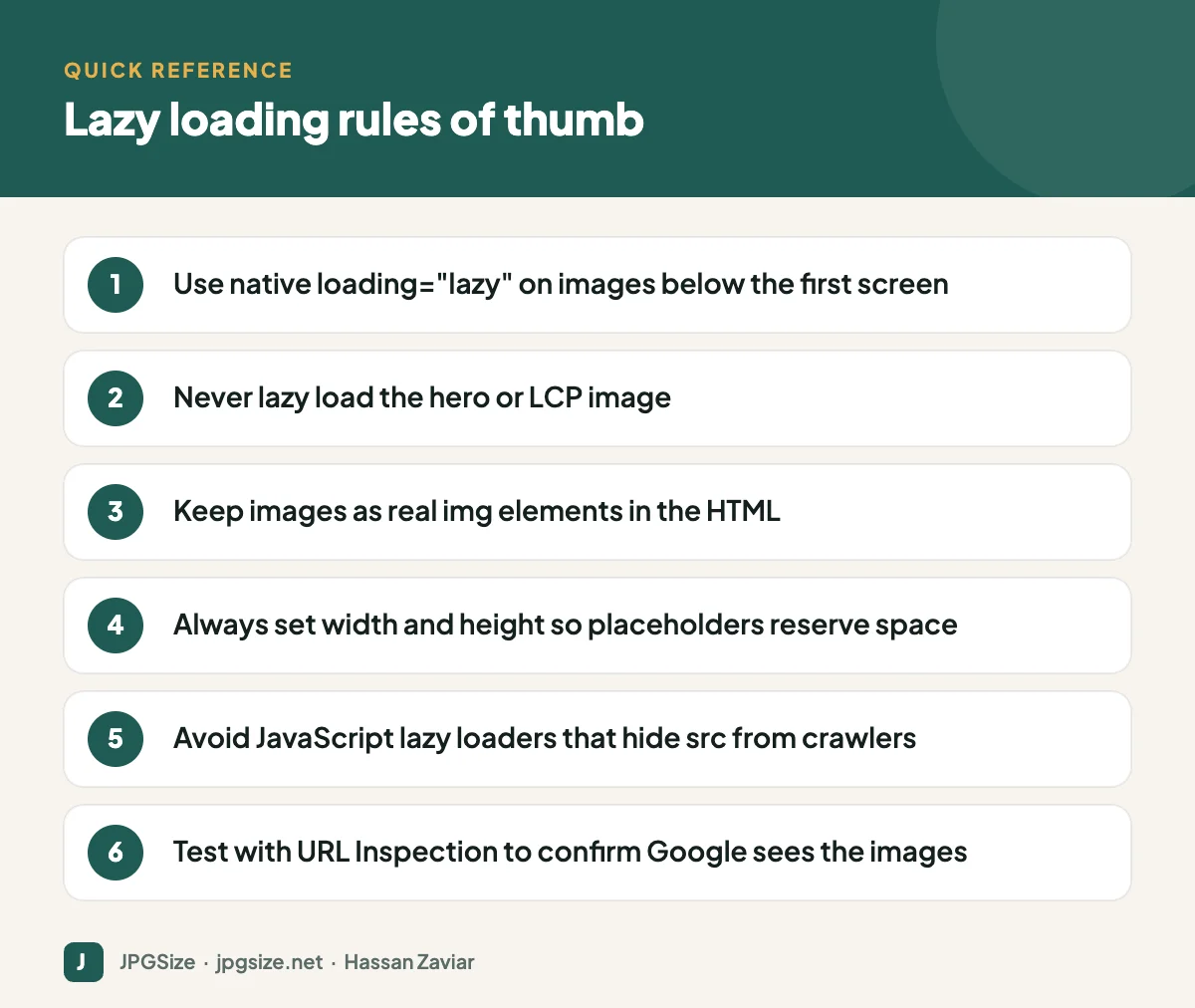
Quick answer: Lazy load images that are below the first screen using the native loading=”lazy” attribute, and never lazy load the hero or Largest Contentful Paint image. Keep images as normal img elements with real src URLs and width and height attributes, so Google can find them and the layout stays stable.
How lazy loading works
Before native support, lazy loading was done with JavaScript: the real image URL sat in a data-src attribute and a script swapped it in when the image approached the viewport. Today every major browser supports native lazy loading with a single attribute on the image element: loading=”lazy”. There is no script to install and the image URL stays in the normal src attribute, where crawlers can see it.
The browser decides when to fetch a lazy image based on its distance from the viewport and the connection speed. Chrome, for example, starts loading lazy images well before they scroll into view so they are usually ready by the time the visitor gets there.
WordPress has added loading=”lazy” to images automatically since version 5.5, and since version 6.3 it tries to skip the first large image, which is likely the LCP element, and adds fetchpriority=”high” to it instead.
Why lazy loading helps
- Less data on the first load. A 30-image blog post might only need three or four images for the first screen.
- Faster first render. Fewer competing downloads means the images that matter arrive sooner.
- Lower bandwidth costs for you and for visitors on metered mobile plans.
When lazy loading hurts
Lazy loading the LCP image
This is the most common and most costly mistake. If the hero image has loading=”lazy”, the browser deliberately deprioritises it, often waiting until layout is complete before requesting it. Studies of real-world sites by the Chrome team found that lazy loading images in the initial viewport tends to make LCP worse. Our guide to Core Web Vitals and images shows how to identify the LCP element.
JavaScript loaders that hide images from crawlers
Googlebot renders pages but does not scroll like a person. Google’s documentation recommends that lazy-loaded content be loaded when it becomes visible in the viewport, and warns against methods that rely on user actions such as scrolling or clicking. If your script only inserts images on a scroll event, Google may never see them. Native lazy loading does not have this problem because the image URL is in the HTML.
Missing dimensions
A lazy image without width and height starts as a zero-height box. When it loads, everything below it jumps, which hurts Cumulative Layout Shift. Always set dimensions.
What to lazy load and what not to
| Image | Lazy load? | Why |
|---|---|---|
| Hero or featured image at the top | No | Usually the LCP element |
| Logo in the header | No | Small and always visible |
| First product images in a grid | No (first row) | Visible immediately on most screens |
| Images further down an article | Yes | Not needed for the first screen |
| Product grid rows below the fold | Yes | Big savings on category pages |
| Comment avatars, footer badges | Yes | Rarely seen immediately |
| Carousel slides after the first | Yes | Hidden until the user interacts |
Mobile and desktop viewports differ, so “above the fold” is an estimate. A reasonable approach is to eagerly load the first one or two images in the content and lazy load the rest.
Lazy loading iframes and video
The same attribute works on iframes, which is useful for embedded YouTube videos and maps; each embed can load hundreds of kilobytes of scripts. For videos, a common pattern is a lightweight “facade”: show a thumbnail image with a play button and load the real player only when clicked. Make sure the thumbnail follows the same rules as any other image, and see our YouTube thumbnail guide for sizing.
How to check Google can see your lazy images
- In Google Search Console, use the URL Inspection tool, then Test live URL and view the rendered HTML and screenshot. Your images should have real src URLs.
- Search for the image in Google Images with a site: query after it has had time to be indexed.
- Include important images in your sitemap so they can be discovered even if rendering misses them. Rank Math and similar plugins do this automatically.
A practical setup for WordPress
- Let WordPress core handle lazy loading; disable duplicate lazy loading in plugins or themes if you see two mechanisms on the same image.
- Check your homepage and a typical post in PageSpeed Insights. If it warns that the LCP image was lazy loaded, find the setting in your theme or optimisation plugin that excludes the first images.
- Make sure images are properly sized and compressed first. Lazy loading a 3 MB image still eventually costs 3 MB; our JPG compressor and pixel resizer fix the underlying problem.
- Pair lazy loading with responsive images so each device downloads a size that suits it.
Lazy loading is one tool among several covered in our complete image SEO guide and our website speed checklist.
Measuring the impact
Before and after enabling lazy loading, compare three numbers for a representative page: the total bytes transferred on the first load (Chrome DevTools, Network panel, with cache disabled), the number of image requests made before you scroll, and the LCP time in PageSpeed Insights. On a long article with 20 or more images, you should see total bytes and requests fall sharply while LCP stays the same or improves. If LCP gets worse, the most likely cause is that the first image is now being lazy loaded; exclude it and test again.
Lazy loading on category and archive pages
Blog archives and shop category pages are where lazy loading pays off most, because they can show dozens of thumbnails. Keep the first row of thumbnails eager so the page looks complete immediately, and lazy load the rest. Make sure thumbnails are genuinely small files rather than full-size images scaled down with CSS, which is a surprisingly common problem in themes. A thumbnail displayed at 300 pixels wide rarely needs to be more than 600 pixels wide in the file, even for high-density screens.
Frequently asked questions
Is lazy loading bad for SEO?
No. Native lazy loading is fine for SEO because image URLs remain in the HTML. It only causes problems when it delays the LCP image or when a script hides images until the user scrolls.
Should I lazy load the featured image?
Not if it appears at the top of the page. The featured or hero image is usually the Largest Contentful Paint element, so it should load eagerly, ideally with fetchpriority=”high”.
Does Google index lazy-loaded images?
Yes, when they are implemented with native lazy loading or a method that loads images as they enter the viewport. Check with the URL Inspection tool to be sure.
Do I still need a lazy loading plugin?
Usually not. Browsers support lazy loading natively and WordPress adds the attribute automatically. Plugins can still help with iframes, video facades or fine-grained control over which images to exclude.
Sources and further reading
- web.dev: Browser-level image lazy loading
- Google Search Central: Fix lazy-loaded content
- web.dev: Optimize Largest Contentful Paint
About the author: Hassan Zaviar writes about image optimization, SEO, AI and digital marketing for JPGSize and works on the site’s free browser-based image tools. Last reviewed: 24 September 2026. Spotted something out of date? Tell us and we will update it.

