
With visual search, a photo is the query. Someone points their phone at a pair of shoes, a plant, a menu or a landmark, and the search engine finds matching or related results. Google Lens is the largest example, and Google has said it handles billions of visual searches every month. For brands that sell physical products, this is a discovery channel worth preparing for.
Quick answer: To optimize for visual search, use original, high-resolution, well-lit photos with one clear subject; show products from multiple angles and in context; describe them consistently in file names, alt text and captions; add Product structured data and a Merchant Center feed; and keep your pages fast and crawlable so Google can index the images.
How visual search works
Visual search engines analyse the pixels of an image to identify objects, text, logos, landmarks and even styles. Then they match what they found against their index of images and pages. Google Lens combines computer vision with its understanding of the text on web pages, product feeds and structured data. That last part is important for SEO: the image recognition finds candidates, and the page context helps decide which result is most relevant.
Common visual search journeys include:
- Shopping: “Where can I buy this jacket?” or “What is this chair called?”
- Identification: plants, animals, landmarks, artworks and products.
- Text: translating signs and menus, copying text from a photo.
- Multisearch: combining a photo with words, such as a picture of a dress plus “in green”.
- Circle to Search: on many Android phones, circling anything on screen to search it.
Why visual search matters for marketers
Visual searchers often have high intent. Someone photographing a product in a shop or a friend’s house is already interested; they want the name, the price or a place to buy it. If your product images are the clearest match, you can capture that intent even when the searcher does not know your brand name.
Visual search also rewards originality. If your product page uses the same manufacturer photos as hundreds of other retailers, Google has little reason to show yours. Original photography gives your page a unique match.
How to optimize images for visual search
1. Make the subject unmistakable
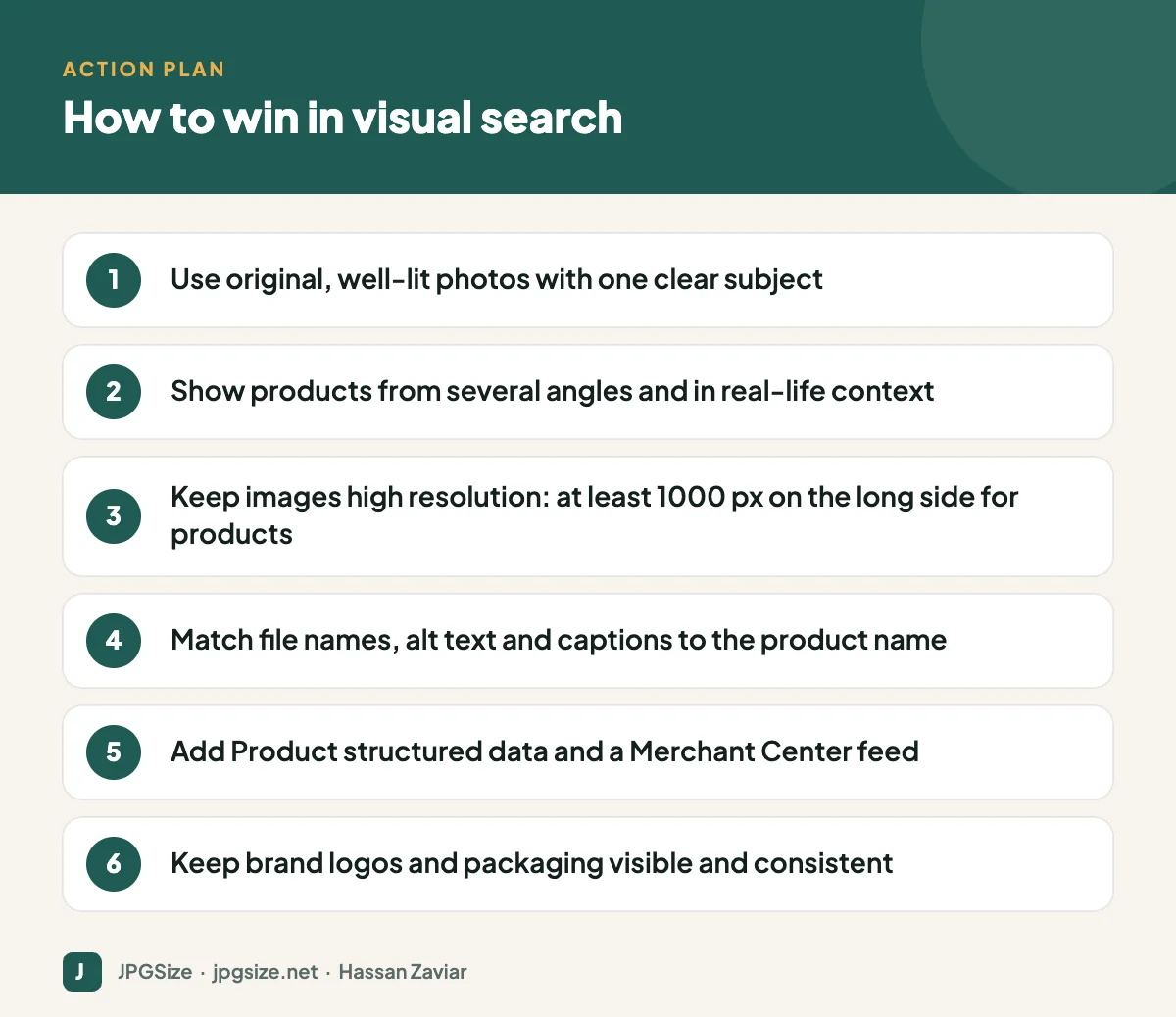
Use a clean background for primary product photos, fill most of the frame with the product and light it evenly. Avoid clutter, heavy filters and busy watermarks that confuse recognition.
2. Provide multiple angles and context shots
Add front, side, back and detail images, plus lifestyle photos showing the product in use. People photograph products from any angle, so a range of images increases the chances of a match.
3. Use high resolution, then compress
Recognition needs detail. For product images, 1000 to 2000 pixels on the long side is a good range. Then compress sensibly so pages stay fast; our JPG compressor and WebP vs AVIF vs JPEG guide help you balance quality and size.
4. Describe images consistently
Use the product’s real name and key attributes in the file name, alt text, caption and nearby headings. Consistency across these signals helps Google connect what it sees with what you sell.
5. Add Product structured data and a product feed
Product schema with name, image, price, availability and reviews helps Google show your product with rich information. If you sell online, a Google Merchant Center feed makes your products eligible for free listings across Google surfaces, including results triggered by Lens. See structured data for images for examples.
6. Keep branding visible
Logos, packaging and distinctive design features help visual search identify your brand. Keep packaging consistent across products and photograph it clearly.
7. Make sure images are indexable
Use img elements rather than CSS backgrounds, avoid blocking image folders in robots.txt, include images in your sitemap and make sure lazy loading does not hide them from crawlers. The basics are covered in our image SEO guide.
Visual search for local businesses
Restaurants, shops, salons and hotels benefit too. People use Lens on storefronts, dishes and signs. Upload real, recent photos to your Google Business Profile: the exterior as people see it from the street, the interior, your best-selling products or dishes, and your team. Keep your business name, address and phone number consistent everywhere.
Beyond Google: Pinterest and other platforms
Pinterest Lens and Bing Visual Search work on similar principles. On Pinterest, vertical images with a clear subject and descriptive titles perform best; our Pinterest marketing guide covers pin sizes and strategy. Marketplaces such as Amazon also offer camera search, which relies heavily on clean main images.
How to measure visual search traffic
Measuring visual search precisely is hard, because Lens traffic is not always separated in analytics. Useful proxies include:
- The Search type: Image filter in the Google Search Console performance report.
- Merchant Center performance for free listings.
- Growth in clicks to product pages that have strong original photography compared with those that do not.
Common visual search mistakes
- Using only manufacturer images. They are identical on every retailer’s site, so search engines have no reason to prefer yours.
- Tiny thumbnails as the only image. If the largest version of a product photo is 300 pixels wide, recognition and zooming both suffer.
- Text and badges over product photos. “SALE” stickers and promotional text can make the main product harder to recognise. Keep promotions in the page content.
- Inconsistent names. If the product is called one thing in the title, another in the alt text and a third in the file name, you weaken the signals connecting image and product.
- Blocking images. CDN or security settings sometimes block Googlebot-Image. Check with Search Console’s URL Inspection tool that images load for Google.
A visual search checklist for product pages
For each important product, check that the page has a clean main image on a plain background, at least three additional angles, one or two photos in real use, descriptive file names and alt text, Product structured data with price and availability, and a fast-loading layout. Pages that meet all of these are also better for shoppers, which is ultimately what visual search is trying to reward.
Frequently asked questions
What is visual search SEO?
It is the practice of optimizing images and the pages they sit on so visual search tools such as Google Lens can recognise them and show them as results.
Does Google Lens use alt text?
Google Lens relies mainly on image recognition, but Google uses page context, including alt text, captions and structured data, to understand images and choose relevant results. Consistent descriptions help.
Do stock photos work for visual search?
They can be recognised, but they appear on many sites, so your page has little chance of being chosen. Original photos give search engines a unique reason to show your page.
What image size is best for visual search?
For products, aim for at least 1000 pixels on the long side, with a clear subject that fills most of the frame. Compress the file so the page still loads quickly.
Sources and further reading
- Google Lens
- Google Search Central: Image SEO best practices
- Google Search Central: Product structured data
About the author: Hassan Zaviar writes about image optimization, SEO, AI and digital marketing for JPGSize and works on the site’s free browser-based image tools. Last reviewed: 24 September 2026. Spotted something out of date? Tell us and we will update it.

