
In feeds, search results and inboxes, images are what stop people. Before anyone reads your headline, they have already decided in a fraction of a second whether a visual is worth their attention. Visual content marketing is the practice of planning and creating images, graphics and video deliberately to win that moment and move people towards action.
Quick answer: Effective visual content marketing means choosing the right visual type for each goal (photos for trust, infographics for explanation, short video for reach), designing for mobile feeds with one clear message and focal point, keeping a consistent brand style, preferring original visuals over generic stock, optimising files for each platform, and measuring which visuals drive real results.
Why visuals matter
People process images quickly and remember information better when it is paired with relevant pictures; psychologists call this the picture superiority effect. In practice, the benefits for marketers are:
- Attention: visuals stop the scroll in crowded feeds.
- Comprehension: a diagram or chart explains a process faster than paragraphs.
- Recall: consistent visual branding makes you recognisable across channels.
- Search visibility: images appear in Google Images, Discover, Lens and AI answers. See our image SEO guide.
Types of visual content and when to use them
| Visual type | Best for | Tips |
|---|---|---|
| Original photos | Trust, products, people, places | Natural light, real settings, consistent editing |
| Infographics and diagrams | Explaining processes, data, comparisons | One idea, clear hierarchy, cite data sources |
| Carousels | Tutorials, lists, stories | Strong first slide, one point per slide |
| Short vertical video | Reach on Reels, Shorts, TikTok | Hook in the first seconds, captions on |
| Quote and text graphics | Opinions, tips, testimonials | Large text, brand colours, short copy |
| Screenshots | Software, results, social proof | Crop tightly, highlight the relevant part |
| Charts from your own data | Authority, PR, links | Label clearly, publish the method |
| Memes and trends | Personality, community | Only when they fit your brand voice |
Original vs stock vs AI visuals
Original visuals (your own photos, screenshots and data) are the strongest for trust and search, because nobody else has them. They also demonstrate experience, which supports E-E-A-T.
Stock photos are fast but generic. Audiences recognise common stock images, and identical images across many sites give search engines no reason to prefer yours. Use them sparingly and customise them with cropping, colour and overlays.
AI-generated visuals fill the gap for concepts, backgrounds and illustrations. Use them for ideas and scenes rather than to fake reality, check for errors and follow disclosure norms. See how to choose an AI image generator and AI-generated images and copyright.
Designing visuals for the feed
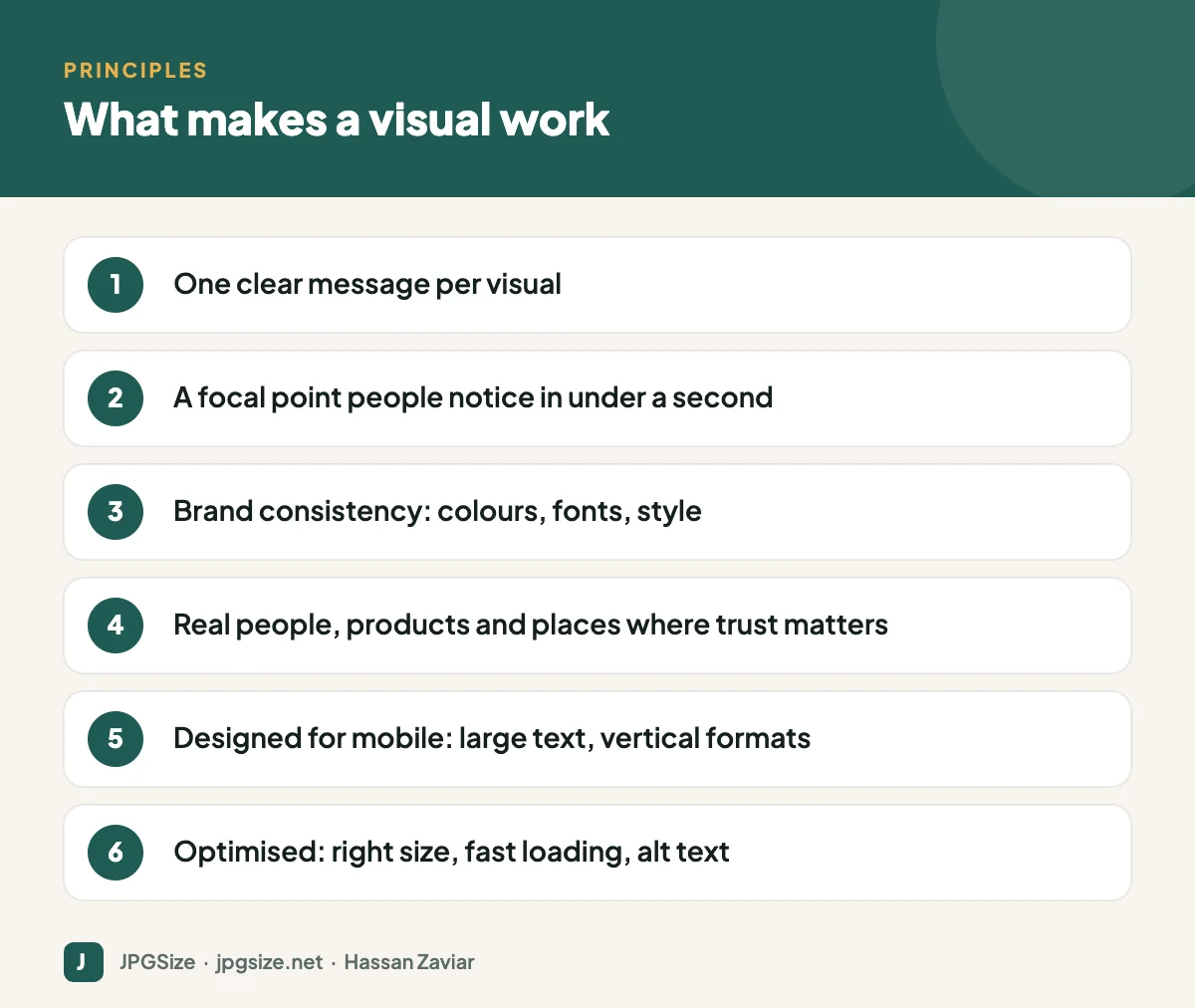
- One message. If you need to explain three things, make a carousel.
- Clear focal point. A face, a product, a number. The eye should know where to land.
- Mobile first. Most social viewing happens on phones. Use vertical or portrait formats and text large enough to read at arm’s length. See the social media image sizes cheat sheet.
- Contrast. Strong contrast between text and background, and between your post and the platform’s interface.
- Brand cues. Consistent colours, fonts and layouts make your posts recognisable before people see your name. Our visual brand identity guide shows how to set this up.
- Accessibility. Add alt text where platforms allow, avoid relying on colour alone and caption videos.
A simple visual content workflow
- Plan visuals alongside topics in your social media content calendar.
- Brief each visual: goal, platform, format, message, and required assets.
- Create using templates for recurring formats.
- Optimise for each destination: correct size and ratio, compression for websites, high quality for social uploads (see why social media lowers photo quality).
- Publish and distribute across channels, adapting crops and captions.
- Measure and iterate.
Visuals on your website
Visuals on your own site should work harder than decoration: product images that answer questions, diagrams that explain, and original photos that show your work. Keep them fast with modern formats and compression; our JPG compressor and guide to WebP vs AVIF vs JPEG help. Every article on this site includes an original key-takeaways graphic for this reason: it summarises the page for skimmers and gives the page a unique image.
How to measure visual content
- Social: saves, shares, comments and link clicks tell you more than likes. Compare formats and styles.
- Website: engagement time and scroll depth on pages with and without strong visuals; clicks from Google Images in Search Console.
- Ads: creative-level click-through and conversion rates; test one variable at a time.
- Brand: growth in branded search and direct traffic over time.
Visual content ideas when you are stuck
- Turn your most common customer question into a simple diagram.
- Photograph a process from start to finish and post it as a carousel.
- Share a chart from your own data, with a one-line takeaway.
- Show a before-and-after of a real project, with the customer’s permission.
- Create a checklist graphic that people will save for later.
- Post behind-the-scenes photos of the team, workspace or packaging.
- Recreate a popular blog post as a short vertical video.
Building a visual asset library
A shared, well-organised library saves time and keeps visuals consistent. Store master files, exports for each platform and approved photos in clearly named folders by campaign and product. Name files descriptively (see SEO-friendly image file names), record usage rights for stock and user-generated images, and archive outdated brand assets so nobody uses old logos or discontinued products by mistake.
Common visual content mistakes
- Using different styles on every post, so nothing feels like one brand.
- Cramming too much text onto a single graphic.
- Publishing huge, unoptimised images that slow down your website.
- Relying on generic stock photos where real photos would build trust.
- Forgetting alt text and captions, which excludes some of your audience.
Frequently asked questions
What is visual content marketing?
It is the strategic use of images, graphics, video and other visuals to attract attention, explain ideas and move audiences towards a business goal.
What types of visual content perform best?
It depends on the platform and goal. Short vertical video tends to maximise reach, carousels and infographics work well for education, and original photos build trust. Test formats with your own audience.
Are stock photos bad for marketing?
Not always, but they are generic and widely used. Original photos usually build more trust and help more with search visibility.
How do I make visuals without a designer?
Use templates in a design tool, a consistent brand kit, your phone camera with good natural light, and AI tools for backgrounds and resizing. Keep designs simple.
Sources and further reading
- Google Search Central: Image SEO best practices
- Nielsen Norman Group: Photos as web content
- W3C WAI: Images tutorial
About the author: Hassan Zaviar writes about image optimization, SEO, AI and digital marketing for JPGSize and works on the site’s free browser-based image tools. Last reviewed: 24 September 2026. Spotted something out of date? Tell us and we will update it.

