
Most small businesses start posting on social media with enthusiasm, then stall after a few weeks when daily ideas run out. A content calendar fixes that by moving decisions out of the moment: what to post, where, when and why is decided in advance, and creation happens in efficient batches.
Quick answer: A usable social media content calendar starts with one clear goal and only the platforms you can sustain. Define three to five content pillars based on customer needs, set a realistic posting frequency, plan a month of themes and key dates, batch-create posts using visual templates, schedule them, and review performance monthly to adjust the mix.
Step 1: Choose a goal and your platforms
Decide what social media should do for the business in the next quarter: build awareness, generate enquiries, drive store visits, support recruitment or keep existing customers engaged. The goal shapes what you post.
Then choose two or three platforms where your audience actually spends time. A local restaurant might focus on Instagram, Facebook and WhatsApp; a B2B consultancy on LinkedIn and YouTube. Doing two platforms well beats doing six badly.
Step 2: Define content pillars
Content pillars are the recurring themes you post about. Three to five pillars keep content varied and on-strategy. For example, a small online bag shop might use:
- Product and craft: new designs, materials, how bags are made.
- Customer stories: real photos, reviews, unboxings (with permission).
- Useful tips: leather care, packing guides, work-bag essentials.
- Behind the scenes: the workshop, the team, packaging orders.
- Offers and launches: sales, new collections, events.
A common guideline is to keep direct promotion to a minority of posts and lead with value and personality.
Step 3: Set a realistic frequency
There is no universally correct number. Consistency matters more than volume, and quality matters more than both. A sustainable starting point for a small team might be:
| Platform | Starting frequency |
|---|---|
| 3 feed posts or Reels per week, Stories most days | |
| 3 to 4 posts per week | |
| 2 to 3 posts per week | |
| YouTube | 1 video every 2 to 4 weeks, plus Shorts |
| Several pins per week, often scheduled | |
| WhatsApp Status or Channel | 3 to 5 updates per week |
Adjust after a month based on what you can maintain and what performs.
Step 4: Plan themes and key dates
Start with a monthly view. Mark holidays and festivals relevant to your audience (Eid, Ramadan, Diwali, Independence Day, Black Friday, back-to-school), product launches, events and industry dates. Then assign each week a theme and fill slots with pillars so the mix stays balanced.
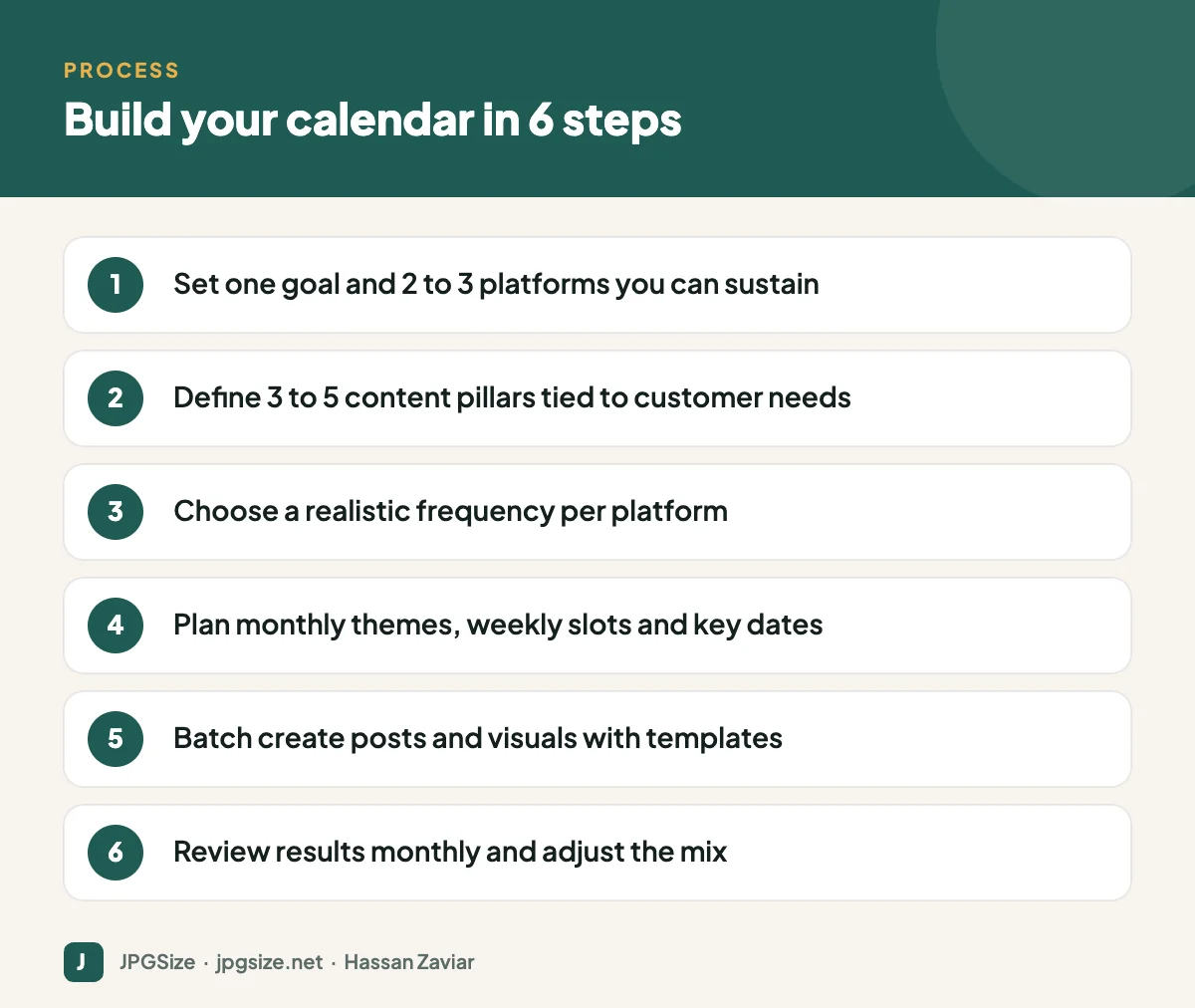
Step 5: Build your calendar template
A spreadsheet or project tool works fine. Useful columns include:
- Publish date and time
- Platform and format (Reel, carousel, Story, single image, document)
- Pillar
- Topic or hook
- Caption draft and call to action
- Visual status and link to the asset
- Owner and approval status
- Link or UTM tracking code
- Results (reach, engagement, clicks) after posting
Colour-code by pillar so you can see the balance at a glance.
Step 6: Batch create with templates
Creating one post at a time is slow. Instead, set aside a block each week or fortnight to write captions, shoot photos and design graphics together.
- Build templates for each recurring format and ratio: 1080 x 1350 feed posts, 1080 x 1920 Stories, 1080 x 1080 squares. Our social media image sizes cheat sheet lists the sizes.
- Keep fonts, colours and logo placement consistent; see visual brand identity.
- Resize and compress visuals before scheduling with tools like resize image in pixels.
- Use AI to draft caption variations and repurpose long content, then edit for voice; see prompt engineering for marketers.
Step 7: Schedule, engage and review
Use a scheduling tool or the platforms’ native schedulers (Meta Business Suite, LinkedIn and YouTube all support scheduling). Scheduling frees time for the part that cannot be automated: replying to comments and messages promptly.
Once a month, review results by pillar and format. Which posts drove the goal you set in Step 1? Do more of those, fewer of the rest. Track website visits from social in GA4 using UTM parameters; see GA4 for beginners.
Keep room for spontaneity
A calendar should not make your account feel robotic. Leave one or two open slots each week for trends, news, customer questions and moments that happen in real life. Planned content provides the base; reactive content adds personality.
Common mistakes
- Planning too much content and abandoning the plan after two weeks.
- Posting the same image and caption everywhere without adapting to each platform.
- Ignoring comments and messages because all effort goes into creating posts.
- Measuring likes instead of the goal you set.
- Designing each graphic from scratch instead of using templates.
Example: one week from a small business calendar
Here is how a balanced week might look for the leather bag shop described above, posting on Instagram, Facebook and WhatsApp:
| Day | Platform and format | Pillar | Idea |
|---|---|---|---|
| Monday | Instagram carousel, shared to Facebook | Useful tips | “5 things to keep in a work bag” |
| Tuesday | WhatsApp Status | Behind the scenes | Short clip of stitching a strap |
| Wednesday | Instagram Reel | Product and craft | New colour reveal with close-ups |
| Thursday | Facebook post | Customer stories | Customer photo and review, with permission |
| Friday | Instagram Stories | Offers | Weekend free-delivery reminder with a link |
| Saturday | Open slot | Reactive | A trend, question or moment from the week |
Each item uses an existing template, so the week can be produced in a single afternoon session.
Content calendars and your website
Social posts are more valuable when they connect to content you own. Plan posts that point to blog articles, product pages and tools, and plan articles that answer questions people ask in comments. This loop brings social traffic to your site and gives you a steady supply of post ideas. It also supports search visibility: see content marketing strategy for how to plan content that ranks and converts.
Frequently asked questions
What is a social media content calendar?
It is a schedule of planned posts across your social platforms, including dates, formats, topics, captions, visuals and owners, so content is consistent and aligned with your goals.
How far ahead should I plan social media content?
Plan themes one to three months ahead and detailed posts two to four weeks ahead, leaving space for timely content.
How often should a small business post on social media?
Choose a frequency you can sustain with good quality, for example three posts a week on your main platform, then adjust based on results.
What tools can I use for a content calendar?
A spreadsheet is enough to start. Project management tools and social media schedulers add collaboration, approvals and automatic publishing.
Sources and further reading
About the author: Hassan Zaviar writes about image optimization, SEO, AI and digital marketing for JPGSize and works on the site’s free browser-based image tools. Last reviewed: 24 September 2026. Spotted something out of date? Tell us and we will update it.

