
There are now dozens of AI image generators, and new model versions arrive every few months. Rankings go out of date quickly, so this guide focuses on something more durable: how to evaluate any image generator against what your marketing team actually needs.
Quick answer: Choose an AI image generator by testing it on your real briefs against eight criteria: image quality for your subject, text rendering, consistency of brand elements and characters, editing tools, commercial usage terms, data privacy, integrations and cost per usable image. For most marketing teams, a tool with clear commercial terms and strong editing beats the one with the most impressive demo images.
The main types of tools
It helps to understand the landscape before comparing products:
- Standalone generators focused on image quality and artistic control, such as Midjourney.
- Generators inside chat assistants, such as the image features in ChatGPT and Google Gemini, which are convenient for conversational editing (“make the background blue, keep everything else”).
- Generators inside design suites, such as Adobe Firefly in Photoshop and Express, and Canva’s AI tools, which fit into existing production workflows and brand kits.
- Open models such as Stable Diffusion and FLUX variants, which can run on your own hardware or cloud and be fine-tuned on your products, with more setup effort.
- Specialist tools for product photography, headshots, logos or typography-heavy designs, such as Ideogram for text in images.
Features and model names change fast, so treat any list as a starting point and test for yourself.
The 8 evaluation criteria
1. Image quality for your subject
Some models excel at photorealistic people, others at illustration, product shots or architecture. Generate the same five briefs in each tool and compare side by side at full size. Look closely at hands, faces, reflections and fine textures.
2. Text rendering
If you want headlines, labels or packaging text inside images, test it explicitly. Text rendering has improved a lot, but reliability still varies between tools, especially for longer phrases and non-English scripts. For ads, adding text in a design tool afterwards is often more reliable and easier to edit.
3. Consistency
Marketing needs repeatable results: the same product, mascot, model or colour palette across a campaign. Check whether the tool supports reference images, style references, saved brand styles or fine-tuning on your own assets.
4. Editing and resizing
Generation is only half of the job. Useful editing features include inpainting (changing part of an image), outpainting or generative expand (extending an image to new aspect ratios), background removal and upscaling. These matter when you need one visual in the dozen social media image sizes and ad formats.
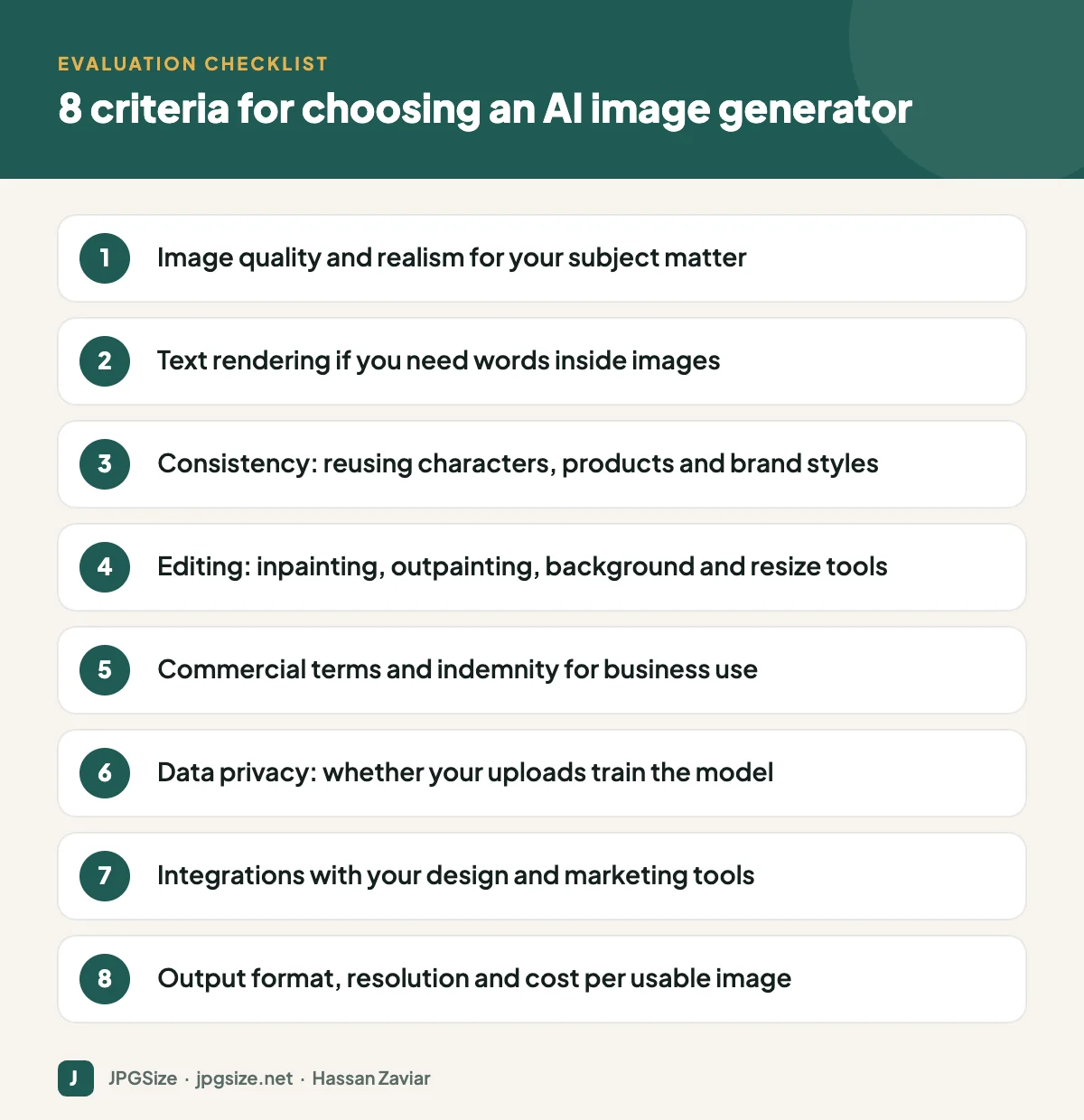
5. Commercial terms
Read the terms of service for business use. Key questions: do you get the rights you need to use outputs commercially, does the vendor offer any intellectual property indemnity on business plans, and are there restrictions on using outputs in certain ways? Adobe, for example, markets Firefly as designed to be commercially safe because it was trained on licensed content and public domain material. Remember that purely AI-generated images may not be protected by copyright at all in some countries; see AI-generated images and copyright.
6. Data privacy
If you upload product photos, customer images or unreleased designs, check whether the vendor uses your inputs and outputs to train its models, and whether business plans let you opt out. Check where data is stored if you have regulatory requirements.
7. Workflow and integrations
A slightly less impressive model that lives inside the design tool your team already uses may save more time than a better one that requires downloading and re-uploading files. Check integrations with your design software, digital asset management and social scheduling tools, plus API access if you want to automate.
8. Output specs and real cost
Check maximum resolution, aspect ratios, formats and whether upscaling is included. Then calculate cost per usable image rather than cost per generation: if one tool needs twenty attempts to get a usable result and another needs three, the cheaper subscription may be more expensive.
A simple testing process
- Write five real briefs from recent campaigns: a product scene, a lifestyle image with people, a social graphic with text, an abstract background and a brand illustration.
- Run each brief in three shortlisted tools, allowing the same number of attempts.
- Score each output from 1 to 5 on quality, brand fit and editability, and note the time spent.
- Check terms, privacy and pricing for the top two.
- Pilot the winner for a month on live work before committing to an annual plan.
Preparing AI images for publishing
Generated images are often large PNG files. Before publishing, resize to the size you need, convert to an efficient format and compress. Our resize image in pixels and JPG compressor tools work in the browser. Add accurate alt text and consider whether you should label the image as AI-generated; many platforms now require or encourage disclosure for realistic synthetic images.
Common mistakes when buying an AI image tool
- Choosing from social media demos. The most shared images are cherry-picked. Your own briefs are the only fair test.
- Ignoring the edit loop. A tool that produces a nearly perfect image but cannot fix the last 10% will cost you time in another app.
- Forgetting about teams. Check seat pricing, shared libraries, brand kits and admin controls before rolling a tool out to several people.
- Overlooking resolution. Some tools generate at modest resolutions by default. If you need print or large banners, check upscaling quality too; see AI image upscaling explained.
- Skipping a usage policy. Decide in advance what may be generated (for example, no realistic images of real people or competitors’ products) and who approves images before publishing.
Where AI images work best in marketing
AI-generated visuals are strongest for backgrounds, concept exploration, mood boards, illustrations, seasonal variations and quickly adapting a campaign to many formats. They are weaker where authenticity is the point: real customer photos, team pictures, product photos that must match exactly what ships, and testimonials. For those, real photography remains the better choice, and it also supports trust and E-E-A-T. A hybrid approach, real product photos placed into AI-generated scenes, is covered in our guide to AI product photography.
Frequently asked questions
What is the best AI image generator for marketing?
There is no single best tool. Photorealism, text rendering, brand consistency, editing and commercial terms vary, so test shortlisted tools on your own briefs. Many teams use one tool for exploration and another integrated tool for production.
Can I use AI-generated images in ads?
Usually yes, subject to the tool’s terms and the ad platform’s policies. Avoid real people’s likenesses, trademarks and misleading depictions, and follow any disclosure requirements.
Which AI image generator is best for text in images?
Some models are specifically strong at typography, but reliability varies. Test with your actual headlines, and for important ads add text in a design tool so it stays editable and accurate.
Are free AI image generators good enough?
For ideas and drafts, often yes. For commercial production, paid plans usually offer higher resolution, better rights terms, privacy controls and support.
Sources and further reading
- U.S. Copyright Office: Copyright and Artificial Intelligence
- Coalition for Content Provenance and Authenticity (C2PA)
About the author: Hassan Zaviar writes about image optimization, SEO, AI and digital marketing for JPGSize and works on the site’s free browser-based image tools. Last reviewed: 24 September 2026. Spotted something out of date? Tell us and we will update it.

