
Pinterest is easy to underestimate because it does not feel like other social networks. People are not there to chat; they are planning: recipes, outfits, home projects, weddings, gifts and purchases. That makes Pinterest behave like a visual search engine, and pins can keep sending traffic to your website for months or years after you publish them.
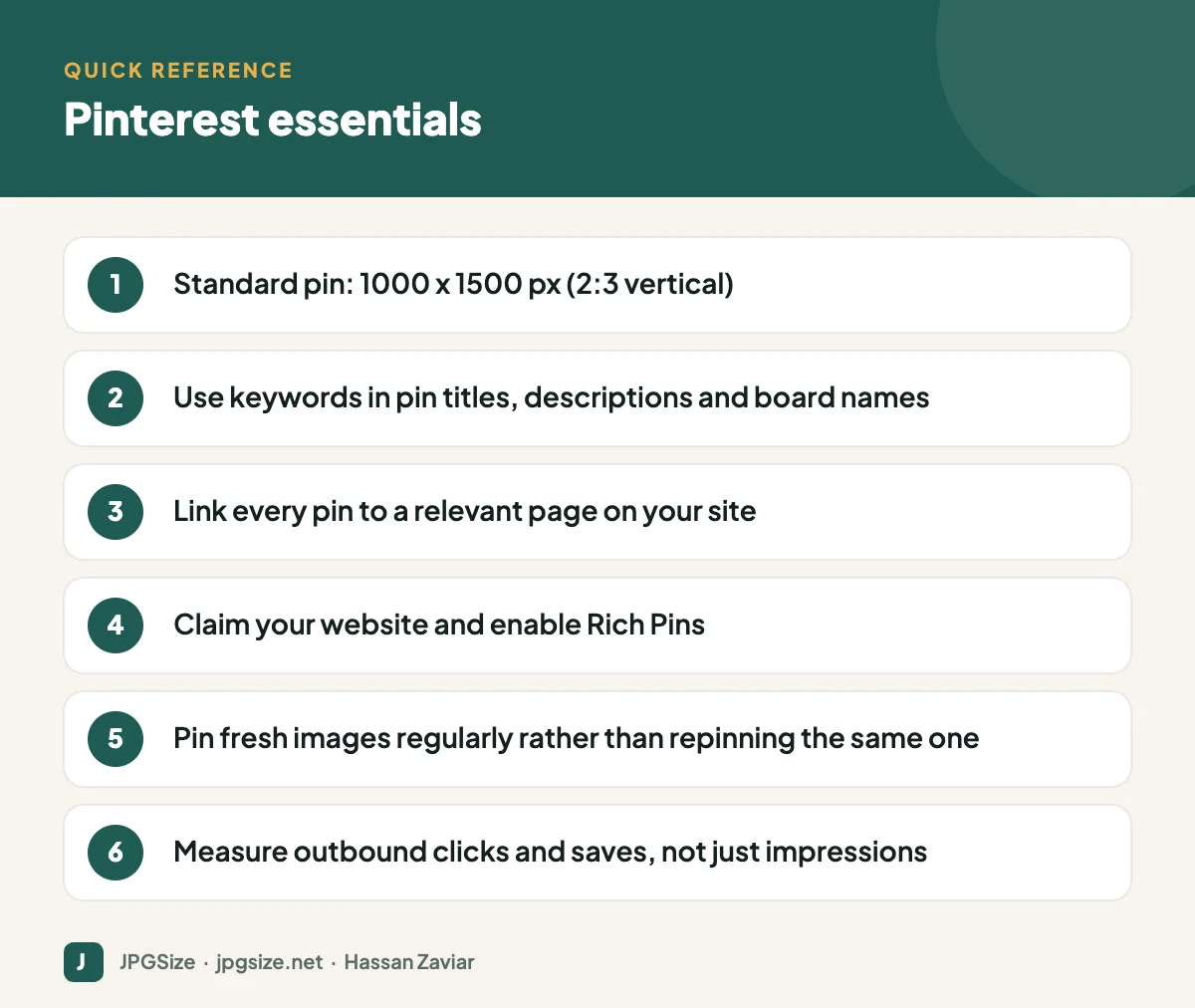
Quick answer: For Pinterest marketing, create vertical pins at 1000 x 1500 pixels (2:3), write keyword-rich titles and descriptions, organise pins into clearly named boards, link each pin to a relevant page on your site, claim your website and enable Rich Pins, and publish fresh pins consistently. Measure saves and outbound clicks to see what drives real traffic.
Why Pinterest works for small businesses
- Intent: people search Pinterest for ideas they plan to act on, often with purchases in mind.
- Longevity: a pin can surface in search and recommendations long after it is posted, unlike feed posts that fade within a day or two.
- Traffic: every pin can link to your website, so Pinterest can be a meaningful source of referral traffic.
- Fit for visual categories: home decor, food, fashion, beauty, weddings, travel, crafts, education and design do especially well.
Setting up a business account
- Create a Pinterest business account or convert your personal one.
- Claim your website so pins from your site are attributed to you and you get analytics.
- Add a clear profile picture (your logo or headshot), a keyword-rich profile description and your website link.
- Enable Rich Pins, which pull information such as article titles or product prices from your site’s metadata. Rich Pins use the same Open Graph tags covered in our Open Graph image guide.
- Install the Pinterest tag if you plan to run ads or want conversion tracking.
Pin sizes and formats
| Format | Size | Notes |
|---|---|---|
| Standard pin | 1000 x 1500 px | 2:3 ratio recommended by Pinterest |
| Square pin | 1000 x 1000 px | Works, but takes less space in the feed |
| Video pin | 9:16, 2:3 or 1:1 | Vertical formats take up more space |
| Profile picture | Square, shown as a circle | Keep your logo centred |
| Board cover | Chosen from a pin in the board | Pick a clear, representative image |
Pins taller than 2:3 may be cut off in the feed. Keep text large enough to read on a phone, and put your logo small and consistent, for example at the bottom centre. See also our social media image sizes cheat sheet.
Pinterest SEO
Pinterest’s search relies on text as well as image recognition. Optimise each pin like a small web page:
- Pin title: include the main keyword naturally, for example “Minimalist home office desk setup ideas”.
- Description: two or three sentences describing the pin and its benefit, using related terms people search for.
- Board names and descriptions: clear, searchable names such as “Small Kitchen Organisation Ideas” rather than “Stuff I love”.
- Image text overlay: a short headline on the image helps both people and Pinterest understand the topic.
- Landing page: the page the pin links to should match the pin’s promise. Relevance matters.
Use Pinterest’s search bar suggestions and Pinterest Trends to find keywords. Many of the same principles from our keyword research guide apply.
A simple Pinterest strategy
- Create 5 to 10 boards around your main topics and products.
- Make multiple pins per page: different images, headlines and layouts for the same article or product. Fresh pins, meaning new images, are favoured over repeatedly repinning the same image.
- Publish consistently: a few fresh pins several times a week is better than 50 in one day. Pinterest’s native scheduler lets you plan ahead.
- Seasonal planning: Pinterest users plan early. Publish seasonal content well before the event, often 45 days or more ahead.
- Repurpose: turn blog post graphics, product photos and infographics into vertical pins.
Creating pins efficiently
Build three or four pin templates in your brand colours and fonts. For each new blog post or product, create two or three variations. Resize and compress with our resize image in pixels and JPG compressor tools, keeping the 2:3 ratio. For product pins, clean photography helps with visual search; see visual search SEO.
Measuring results
Pinterest Analytics shows impressions, saves, pin clicks and outbound clicks. Outbound clicks, which send people to your website, are usually the most important for business goals. In GA4, check referral traffic from pinterest.com and add UTM parameters to pins if you want campaign-level tracking; see GA4 for beginners.
Pinterest ideas by business type
- Food businesses and home cooks: step-by-step recipe pins, ingredient flat lays, seasonal menus.
- Fashion and accessories: outfit ideas, “how to style” pins, product close-ups in real settings.
- Home and interiors: room makeovers, before-and-after, small-space solutions.
- Education and services: checklists, infographics and templates that link to detailed guides.
- Local businesses: ideas tied to your location, such as “things to do in Lahore this weekend” or local wedding venues.
Pinterest ads in brief
Pinterest ads use the same formats as organic pins and appear in search and home feeds. They can work well for products with strong visuals and planning-driven purchases. Start with your best-performing organic pins as ad creative, target by keywords and interests, and measure with the Pinterest tag and GA4. As with any paid channel, make sure the landing page is fast and matches the pin; our landing page optimization guide explains what to check.
Common Pinterest mistakes
- Using horizontal images, which appear small and are easily overlooked.
- Vague board names and empty descriptions that give Pinterest search nothing to work with.
- Linking pins to your homepage instead of the specific relevant page.
- Pinning the same image repeatedly instead of creating fresh variations.
- Giving up after a few weeks. Pinterest traffic builds gradually as pins are discovered and saved.
Frequently asked questions
What is the best Pinterest pin size?
1000 x 1500 pixels, a 2:3 vertical ratio. Pins much taller than this may be truncated in the feed.
Is Pinterest good for small businesses?
Yes, especially for visual, planning-driven categories such as home, food, fashion, beauty, weddings and crafts. Pins can drive website traffic for a long time after posting.
How often should I pin?
Consistency matters more than volume. Publishing a few fresh pins several times a week is a sustainable starting point.
What are Rich Pins?
Rich Pins automatically show extra information from your website, such as article titles or product details, using metadata on your pages. You enable them after claiming your website.
Sources and further reading
About the author: Hassan Zaviar writes about image optimization, SEO, AI and digital marketing for JPGSize and works on the site’s free browser-based image tools. Last reviewed: 24 September 2026. Spotted something out of date? Tell us and we will update it.

