
When someone searches for a business like yours on Google Search or Maps, your Business Profile is often the first thing they see, before your website. Photos are a big part of that first impression: they show what your place looks like, what you sell and who they will deal with. Google has reported that businesses with photos receive more requests for directions and more clicks to their websites than those without.
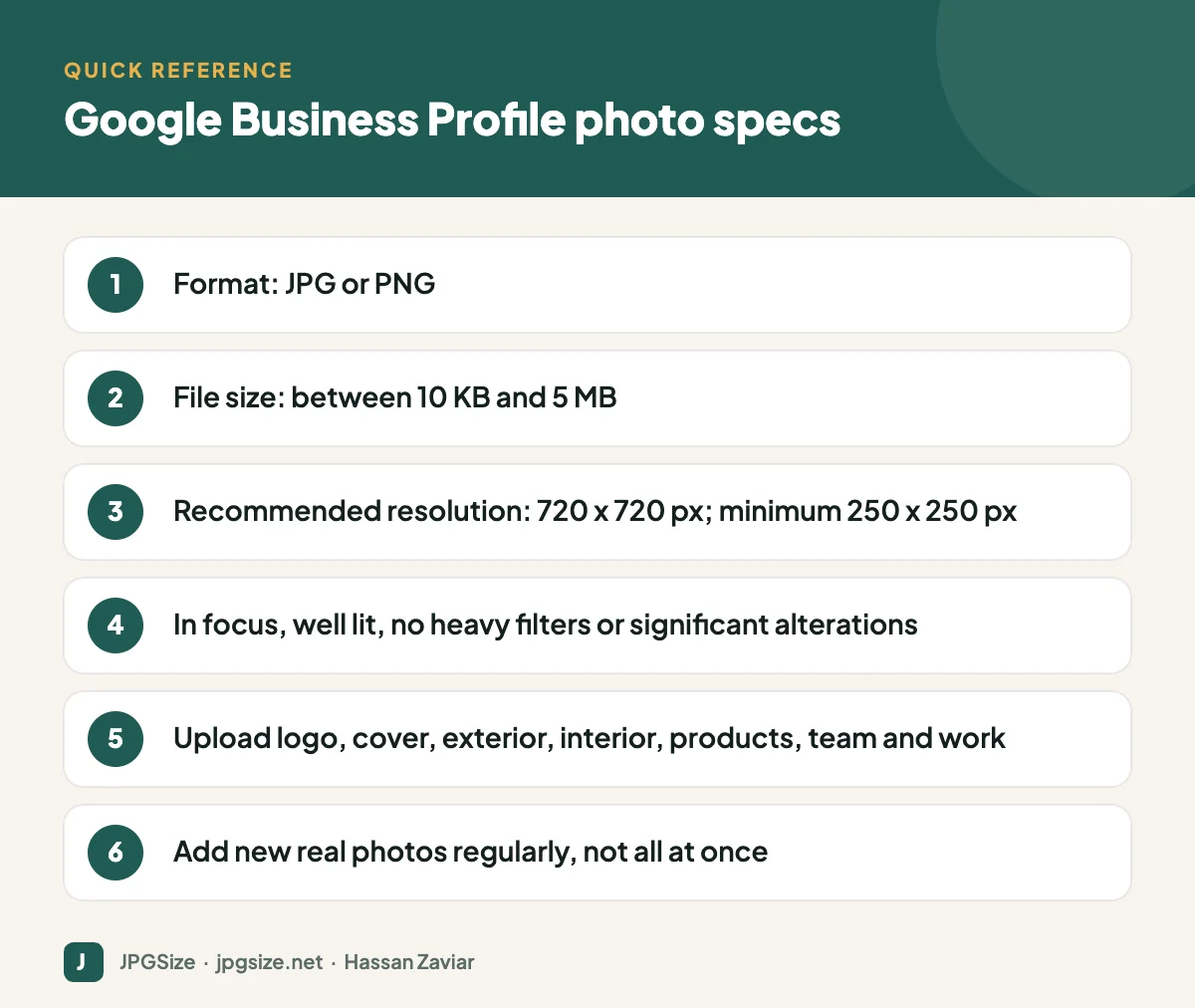
Quick answer: Google Business Profile photos should be JPG or PNG files between 10 KB and 5 MB, ideally 720 x 720 pixels (minimum 250 x 250), in focus, well lit and without heavy filters. Upload a logo, a cover photo, exterior shots that help people find you, interior shots, products or services, and your team at work, then keep adding real photos regularly.
Photo requirements
| Requirement | Guideline |
|---|---|
| Format | JPG or PNG |
| File size | Between 10 KB and 5 MB |
| Recommended resolution | 720 x 720 pixels |
| Minimum resolution | 250 x 250 pixels |
| Quality | In focus, well lit, no significant alterations or excessive filters |
| Content | Must represent the business accurately and follow Google’s content policies |
These are Google’s published guidelines at the time of writing. Most phone photos exceed 5 MB, so resize and compress before uploading; our resize image to 500KB or reduce image size in KB tools are quick ways to get under the limit without visible quality loss.
Which photos to upload
Logo
A square version of your logo, clearly readable at small sizes. This helps customers recognise your brand across Search and Maps.
Cover photo
The cover photo represents your business, but Google may choose a different image to show first depending on the search. Pick a photo that sums up your business: your storefront, signature product or best room.
Exterior
Photos from different angles and times of day, including the entrance as seen from the street. These help customers recognise your location when they arrive. Include nearby landmarks or signage if your entrance is hard to find.
Interior
The atmosphere customers will experience: seating, displays, reception, waiting areas. For restaurants and hotels, interiors strongly influence choice.
Products and services
Your best-selling products, popular menu items, finished work or the service in progress. Use the same clean, well-lit style as your website; see product image optimization.
Team and work in progress
Real people build trust. Show staff (with their permission) serving customers, preparing food or doing the work.
Videos
Short videos of your space or work can also be uploaded. Keep them short, well lit and genuine.
How to take good Business Profile photos
- Use natural light where possible, and switch on all interior lights for indoor shots.
- Shoot horizontally for exteriors and interiors, and square or close-up for products.
- Keep the camera level and avoid extreme wide-angle distortion.
- Declutter the space before shooting.
- Avoid text overlays, promotional graphics and heavy filters. Photos should look like what customers will actually see.
- Name files descriptively before upload, such as cafe-name-lahore-interior.jpg. The SEO impact is small, but it keeps your library organised; see SEO-friendly image file names.
How often to add photos
A profile with recent photos signals an active business. Add new photos regularly, for example a few each month: new products, seasonal decorations, recent projects or events. Uploading dozens at once and then nothing for a year is less useful than steady updates. Keep outdated photos out: if you renovated or changed your menu, remove old images that no longer represent the business.
Customer photos
Customers can add photos to your profile too, and those images often appear alongside yours. You cannot delete customer photos, but you can:
- Encourage happy customers to add photos with their reviews.
- Report photos that violate Google’s policies, such as irrelevant, offensive or misleading images.
- Out-number weak customer photos with good, current photos of your own.
Why photos get rejected or do not appear
Photos may be rejected or take time to appear if they are too small or too large, heavily edited, low quality, irrelevant to the business, or they violate content policies. Newly verified profiles sometimes see a delay before uploads are published. If a photo does not appear, check the requirements, re-export at 720 x 720 or larger under 5 MB, and try again after a few days.
Photos as part of local SEO
Photos alone will not rank your business, but a complete, active profile supports local visibility and, more importantly, persuades people to call, visit or click. Combine photos with accurate business information, the right categories, regular posts and a steady flow of genuine reviews. For the bigger picture, see digital marketing for small business, and for how Google Lens recognises storefronts and products, see visual search SEO.
Photo ideas by business type
| Business | Photos that help customers decide |
|---|---|
| Restaurant or cafe | Signature dishes, menu board, seating areas, outdoor space, the team at the counter |
| Salon or clinic | Treatment rooms, reception, before-and-after results (with consent), staff |
| Retail shop | Storefront, aisles or displays, best-selling products, fitting rooms |
| Hotel or guest house | Each room type, bathrooms, view, breakfast, lobby, parking |
| Trades and services | Completed projects, team on site, vehicles with branding |
| Office-based services | Entrance and signage, meeting rooms, the team, parking or access |
A monthly photo routine
- At the start of each month, list three things that are new or seasonal: a product, a dish, a completed project or an event.
- Photograph them in good light on a quiet day.
- Resize and compress to under 5 MB, keeping at least 720 pixels on the short side.
- Upload to your Business Profile and reuse the best ones in a Business Profile post, on Instagram and in WhatsApp Status.
- Check your profile’s photo section and remove anything outdated.
Ten minutes a month keeps your profile looking current and gives customers a reason to choose you over a competitor with photos from years ago.
Frequently asked questions
What size should Google Business Profile photos be?
Google recommends 720 x 720 pixels, with a minimum of 250 x 250 pixels. Files must be JPG or PNG between 10 KB and 5 MB.
How many photos should I add to my Google Business Profile?
There is no fixed number. Cover every photo type relevant to your business, then add new real photos regularly, for example a few each month.
Can I choose the main photo on my Google Business Profile?
You can set a cover photo, but Google may show a different image first depending on the search. Keep all your photos high quality so whichever appears represents you well.
Why was my Google Business Profile photo rejected?
Common reasons include low quality, heavy editing or filters, text overlays, irrelevant content or files outside the size limits. Re-export a genuine, well-lit photo within the guidelines.
Sources and further reading
About the author: Hassan Zaviar writes about image optimization, SEO, AI and digital marketing for JPGSize and works on the site’s free browser-based image tools. Last reviewed: 24 September 2026. Spotted something out of date? Tell us and we will update it.

