

The thumbnail is the first thing people see and often the deciding factor in whether they click. YouTube has said that most of the top-performing videos on the platform use custom thumbnails. Getting the size right is the easy part; designing something that is readable on a phone and still sharp on a living room TV takes a little more thought.
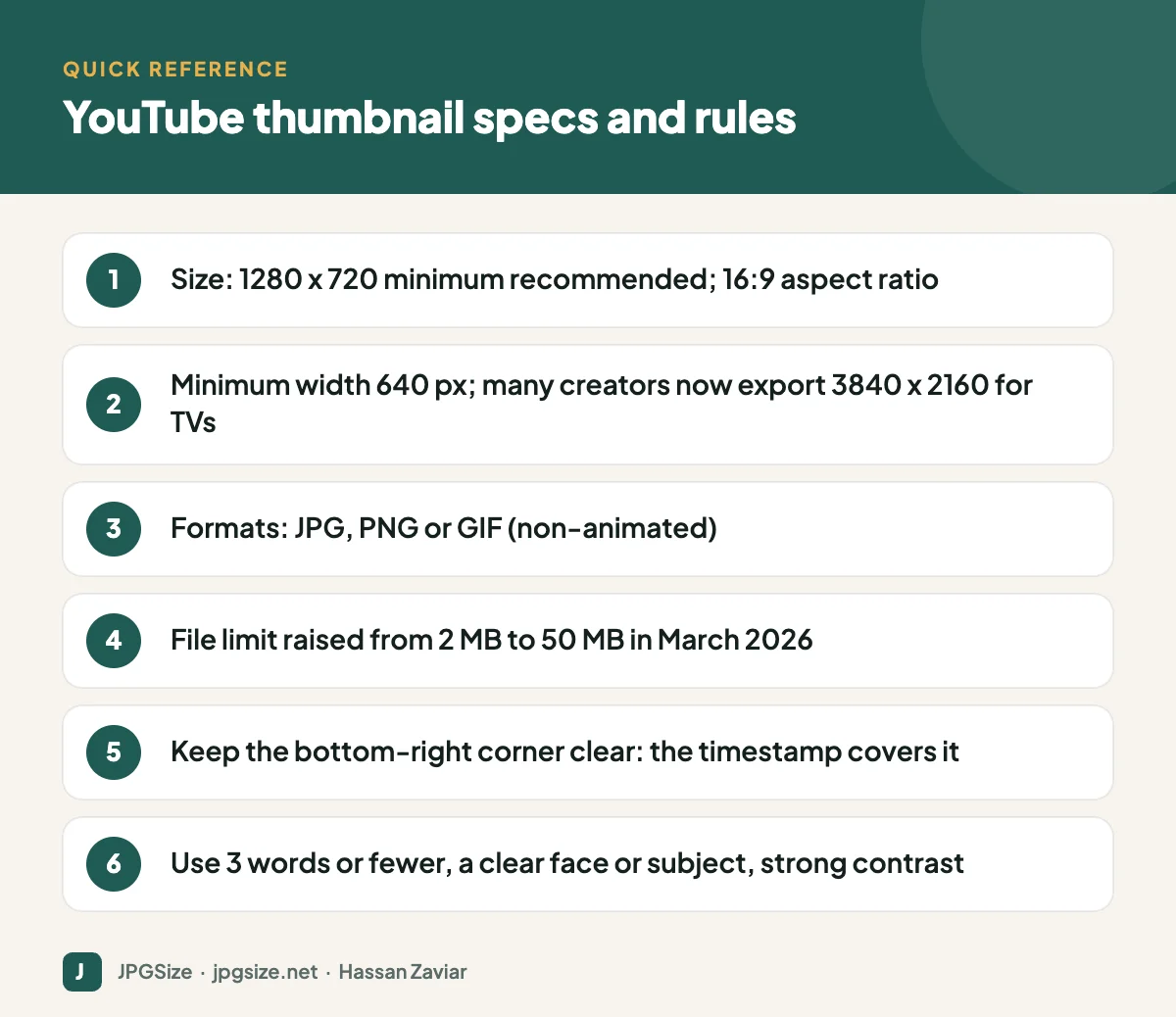
Quick answer: A YouTube thumbnail should be 1280 x 720 pixels (16:9) with a minimum width of 640 pixels, uploaded as JPG, PNG or GIF. In March 2026 YouTube raised the thumbnail file size limit from 2 MB to 50 MB to support high-resolution thumbnails for TV screens, so many creators now export at 3840 x 2160. Keep text short and large, and leave the bottom-right corner clear of the video length timestamp.
YouTube thumbnail specifications
| Spec | Requirement or recommendation |
|---|---|
| Recommended size | 1280 x 720 pixels (or larger, such as 1920 x 1080 or 3840 x 2160) |
| Minimum width | 640 pixels |
| Aspect ratio | 16:9 |
| File formats | JPG, PNG, GIF (not animated) |
| Maximum file size | 50 MB (raised from 2 MB in March 2026) |
| Custom thumbnails | Require a verified account in good standing |
The higher file limit matters because YouTube is watched more and more on TVs, where a small, heavily compressed JPEG shows blocky artefacts. If you export at 4K, keep the file as a high-quality JPEG or PNG; there is no benefit in uploading an unnecessarily huge file.
Where thumbnails appear
The same thumbnail is shown at very different sizes:
- Mobile home feed and search: a few centimetres wide.
- Suggested videos sidebar on desktop: small.
- TV apps: large, sometimes full screen width.
- Shared links on social media and messaging apps.
Design at full size, but judge the design at the smallest size. A useful test is to shrink your thumbnail to about 160 pixels wide on screen. If you cannot read the text or recognise the subject, simplify.
Design principles that consistently work
1. One clear focal point
A face with a clear expression, a product, or a striking object. Busy scenes turn to noise at small sizes.
2. Three words or fewer
The title already explains the video. Thumbnail text should add intrigue or a key promise, not repeat the title. Use a bold, thick font with an outline or shadow for contrast.
3. Strong contrast and colour
Bright subjects on darker or simpler backgrounds stand out. Check that your thumbnail is distinct from the YouTube interface in both light and dark mode.
4. Consistent style
A recognisable colour scheme, font and layout help returning viewers spot your videos. See visual brand identity for building a consistent look.
5. Honest promise
Misleading thumbnails may earn a click but hurt watch time and satisfaction, and YouTube’s recommendation system pays attention to both. Thumbnails must also follow YouTube’s policies, which prohibit sexual, violent and misleading content.
Safe areas and overlays
The video length timestamp sits in the bottom-right corner, and on some surfaces progress bars appear along the bottom for videos a viewer has started. Keep text and faces away from the bottom-right and the bottom edge. Also avoid placing key information right at the edges; some surfaces crop slightly.
Making thumbnails quickly
- Capture a sharp, well-lit frame or shoot a dedicated photo; a posed photo usually looks better than a paused video frame.
- Remove the background to place yourself over a bold backdrop; see AI background removal.
- Add a short headline in a heavy font.
- Export at 1280 x 720 or larger with our resize image in pixels tool.
- Check it at thumbnail size on your phone before publishing.
If you upscale an older frame for a 4K export, see AI image upscaling for when that works well.
Test and improve
YouTube Studio includes a feature for testing up to three thumbnails on the same video and choosing the one that performs best on watch time. Use it on important videos. In YouTube Analytics, watch impressions click-through rate alongside average view duration: a thumbnail that raises clicks but lowers watch time is overpromising.
Other YouTube image sizes
| Image | Size |
|---|---|
| Channel banner | 2560 x 1440 pixels, with text and logos inside the central 1235 x 338 safe area; up to 6 MB |
| Profile picture | 800 x 800 pixels, displayed as a small circle |
| Shorts | 1080 x 1920 (9:16) video; choose a cover frame with the subject centred |
For other platforms, see our social media image sizes cheat sheet.
Thumbnail ideas by video type
- Tutorials: show the end result, or a clear before-and-after, with a two or three word promise such as “Fix it fast”.
- Reviews: the product large and sharp, with your face showing a genuine reaction.
- Talking-head explainers: a close-up expression plus a bold keyword that captures the topic.
- Lists and comparisons: two or three items side by side, never ten tiny ones.
- Shorts: choose a cover frame where the subject is centred and large, because Shorts shelves crop and display covers differently from regular thumbnails.
Thumbnail and title work together
Viewers read the thumbnail and title as a single unit. If the title explains what the video is about, the thumbnail can focus on emotion, curiosity or the result. Avoid repeating the exact title on the image; use the space to add something the title does not say. Test combinations on important videos, and review which pairs earn both clicks and watch time in YouTube Analytics.
Accessibility and inclusive design
Many viewers watch on small screens, in bright light or with visual impairments. High contrast between text and background, large type and a clear subject make thumbnails readable for more people. Avoid relying on colour alone to convey meaning, such as red and green arrows with no other cue.
Frequently asked questions
What is the correct YouTube thumbnail size?
1280 x 720 pixels at a 16:9 aspect ratio is the standard recommendation, with a minimum width of 640 pixels. Larger 16:9 sizes such as 3840 x 2160 are fine and look sharper on TVs.
What is the YouTube thumbnail file size limit?
YouTube raised the limit from 2 MB to 50 MB in March 2026, allowing higher-resolution thumbnails for large screens.
Why can’t I upload a custom thumbnail?
Custom thumbnails require a verified account. Verify your account in YouTube Studio, and make sure it has no active restrictions.
Should I put text on YouTube thumbnails?
Short text of about three words can help, as long as it adds to the title rather than repeating it and is large enough to read on a phone.
Sources and further reading
- YouTube Help: Add video thumbnails
- YouTube Help: Manage your channel banner
- Android Headlines: YouTube raises thumbnail size limit to 50 MB (March 2026)
About the author: Hassan Zaviar writes about image optimization, SEO, AI and digital marketing for JPGSize and works on the site’s free browser-based image tools. Last reviewed: 24 September 2026. Spotted something out of date? Tell us and we will update it.

