
Instagram’s image rules changed more in the last two years than in the five before. The profile grid moved from squares to 3:4 rectangles, native 3:4 uploads arrived and carousels grew longer. If your posts look awkwardly cropped on your profile, this guide explains why and which sizes to use now.
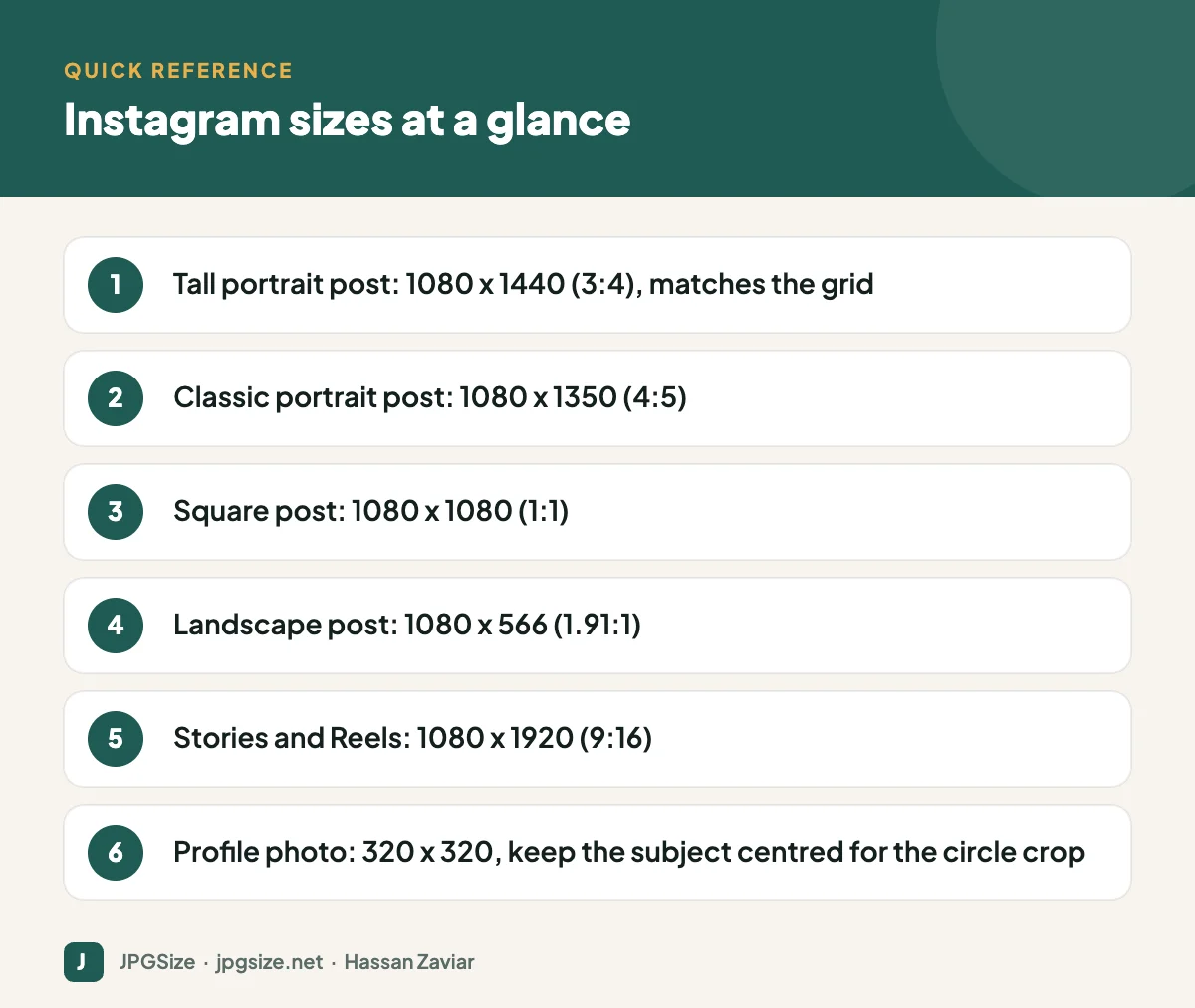
Quick answer: For Instagram feed posts in 2026, use 1080 x 1440 pixels (3:4) or 1080 x 1350 (4:5) for portrait, 1080 x 1080 for square and 1080 x 566 for landscape. Stories and Reels are 1080 x 1920 (9:16). The profile grid shows posts as 3:4 previews, so keep the key subject in the centre of every image.
Checked September 2026. Instagram updates its layout frequently; confirm in the app before major campaigns.
Instagram feed post sizes
| Post type | Recommended size | Aspect ratio | Best for |
|---|---|---|---|
| Tall portrait | 1080 x 1440 | 3:4 | Maximum screen space; matches grid |
| Portrait | 1080 x 1350 | 4:5 | Long-standing standard, still widely used |
| Square | 1080 x 1080 | 1:1 | Product shots, quotes, consistent layouts |
| Landscape | 1080 x 566 | 1.91:1 | Wide scenes, but small on phones |
Instagram displays images at a width of 1080 pixels, so uploading exactly 1080 pixels wide avoids an extra resize by the app. Uploading larger images is fine, as Instagram will scale them down.
Which should you choose?
On a phone, taller images take up more of the screen as people scroll, which generally means more attention. The 3:4 format also matches the profile grid, so what people see on your profile is the whole image. For most brands, 3:4 or 4:5 portrait is the better default; use square when consistency with other channels matters.
The 3:4 profile grid
In January 2025, Instagram changed profile grids from square thumbnails to 3:4 rectangles. Existing posts were not changed, but their previews are cropped:
- Square posts lose part of the left and right sides in the grid preview.
- 4:5 posts lose a thin strip at the top and bottom of the preview.
- 3:4 posts display in full.
Instagram also lets you adjust the grid thumbnail for a post, so you can reposition the crop. If your grid layout relies on text or a “puzzle” design across posts, redesign it for 3:4 and keep important content in the centre.
Carousels
Carousels can contain up to 20 images or videos. The first item sets the aspect ratio for the whole carousel, so export every slide at the same size. Carousels are ideal for tutorials, before-and-after comparisons and product details.
Stories and Reels
| Format | Size | Notes |
|---|---|---|
| Stories | 1080 x 1920 (9:16) | Keep text out of the top 250 px and bottom 340 px |
| Reels | 1080 x 1920 (9:16) | Captions and buttons cover the bottom and right side |
| Reels cover in the grid | Shown as a 3:4 crop | Keep title text in the centre of the frame |
The interface covers large parts of vertical content. Keep faces, text and logos in the central area, and preview before posting.
Profile photo
Upload a square image of at least 320 x 320 pixels. Instagram shows it as a small circle, so centre your logo or face and leave some margin around it. Simple logos with strong contrast work best at small sizes. For personal accounts, see professional profile photos for personal branding.
How to keep image quality high on Instagram
- Upload at the right size and ratio so Instagram does not crop and rescale.
- Start from a high-quality file, not a screenshot or an image downloaded from another app.
- Export as sRGB JPEG at high quality.
- Avoid uploading on very poor connections if your app settings reduce upload quality; check the “upload at highest quality” option in the app’s media quality settings.
- Keep text large and minimal; fine text suffers most from compression.
More detail is in why social media lowers your photo quality. To prepare exact sizes, use our resize image in pixels tool.
Design tips for the 2026 feed
- Design in 3:4 and check that a 4:5 crop still works if you repurpose the image elsewhere.
- Use consistent colours and typography so your grid looks cohesive; see visual brand identity.
- Put the hook in the first carousel slide; many viewers decide within a second.
- Add alt text in the advanced settings when posting to make images accessible.
- Plan posts ahead with a social media content calendar.
For all other platforms in one place, see our social media image sizes cheat sheet.
Instagram image sizes for ads
Instagram ads are created in Meta Ads Manager and share formats with Facebook ads. The same ratios apply: 1:1 and 4:5 for feed placements and 9:16 for Stories and Reels placements. Meta recommends uploading at least 1080 pixels wide and supplying separate creative for vertical placements rather than letting the system crop a square image. Keep roughly the top and bottom 14% of 9:16 ads free of key text and logos, because the interface covers those areas.
Repurposing one visual for every Instagram format
A practical approach for small teams is to design one master image and adapt it:
- Start with a 1080 x 1920 vertical master with the subject in the middle third.
- Crop to 1080 x 1440 for the feed; the central area is preserved.
- Crop to 1080 x 1080 if you also need a square version for other platforms.
- Check each crop for cut-off text or awkward framing, and adjust the layout rather than shrinking the text.
Planning the composition this way from the start avoids the most common problem on Instagram: important details cut off in one format because the image was designed for another.
Common Instagram image mistakes
- Designing grid “puzzles” for square tiles, which no longer line up in the 3:4 grid.
- Placing text right at the edges of Stories where the interface hides it.
- Mixing aspect ratios in a carousel, which forces cropping.
- Uploading screenshots of graphics instead of the original export, which adds blur.
Frequently asked questions
What is the best Instagram post size in 2026?
1080 x 1440 (3:4) is a strong default because it matches the profile grid and uses more screen space. 1080 x 1350 (4:5) is still excellent and widely used.
Why are my Instagram posts cropped on my profile?
Since January 2025 the profile grid shows 3:4 previews. Square and 4:5 posts are cropped in the grid, though the full image appears when someone opens the post.
What size should Instagram Stories be?
1080 x 1920 pixels (9:16). Keep important text and logos away from the top and bottom edges.
Can I post landscape photos on Instagram?
Yes, up to 1.91:1 (for example 1080 x 566), but they appear small in the feed and are heavily cropped in the grid. Portrait formats usually perform better.
Sources and further reading
About the author: Hassan Zaviar writes about image optimization, SEO, AI and digital marketing for JPGSize and works on the site’s free browser-based image tools. Last reviewed: 24 September 2026. Spotted something out of date? Tell us and we will update it.

