
JPEG was designed in the late 1980s using carefully hand-tuned mathematics. Modern formats like WebP and AVIF improve on it, but they still follow the same basic recipe. A newer approach replaces that recipe with neural networks that learn how to compress images from millions of examples. Here is what that means, what already works today and what is still experimental.
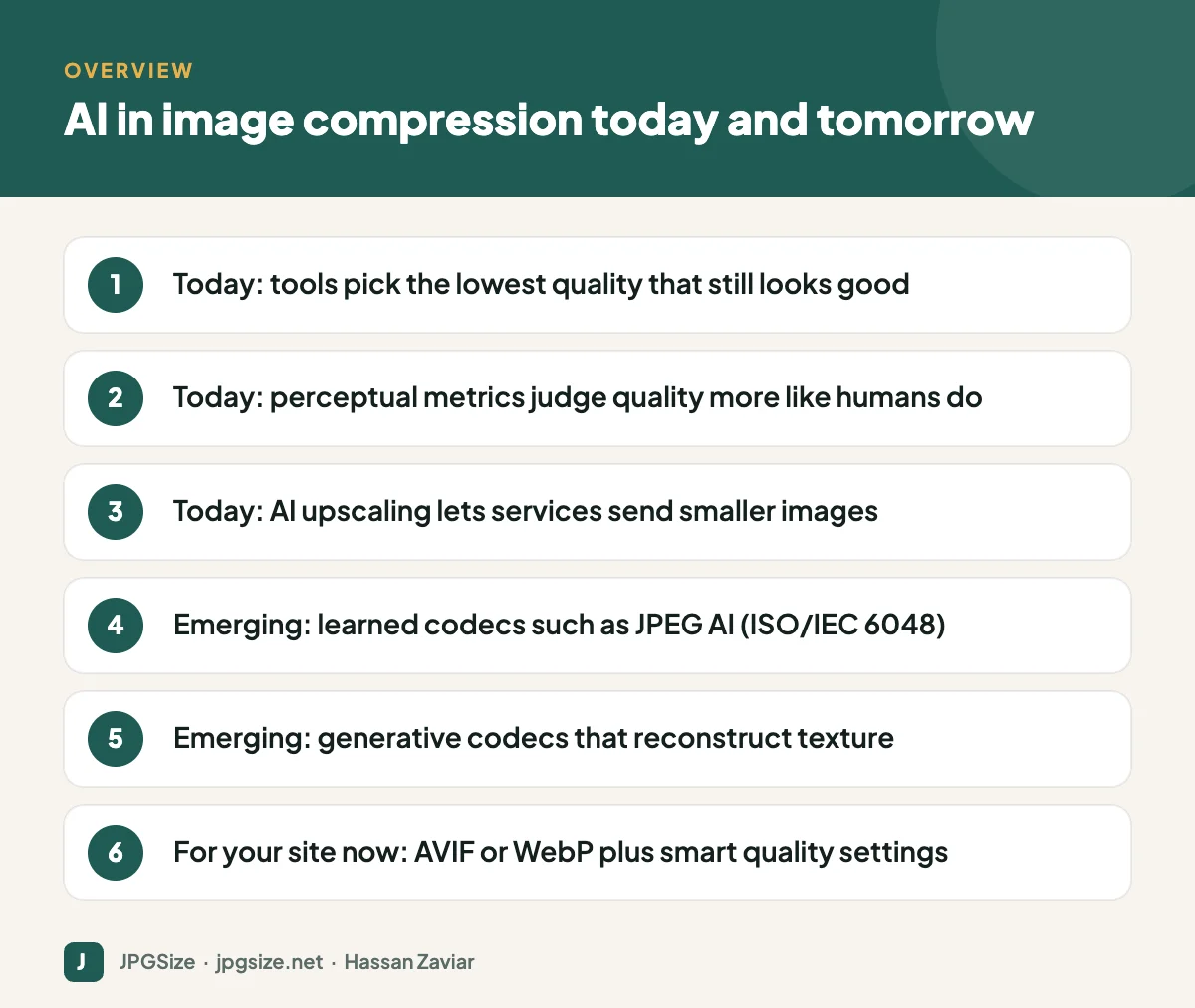
Quick answer: AI image compression uses neural networks either to replace the traditional codec (learned or neural codecs such as the JPEG AI standard) or to improve existing formats, for example by automatically choosing the lowest quality setting that still looks good to people. Neural codecs can beat traditional formats at low file sizes but need more computing power and are not yet supported by browsers, so for websites today the practical win is AVIF or WebP with smart, perceptual quality selection.
How traditional compression works
JPEG, WebP and AVIF broadly follow the same steps:
- Transform the image into a representation where the important information is concentrated (JPEG uses a discrete cosine transform on 8 x 8 pixel blocks; AVIF uses larger, flexible blocks and more advanced prediction).
- Quantise: throw away detail the eye is less sensitive to. This is where most of the file size saving, and the quality loss, happens.
- Entropy code the result so it takes as few bits as possible.
Every step is designed by engineers. Improvements come from better hand-designed tools, which is why each new format takes years to develop.
How neural (learned) codecs work
A learned codec replaces the hand-designed transform with neural networks:
- An encoder network turns the image into a compact set of numbers, called a latent representation.
- That representation is quantised and compressed using a learned probability model that predicts which values are likely.
- A decoder network reconstructs the image from those numbers.
The whole system is trained end to end on large image collections to minimise file size and visible distortion at the same time. Research by Johannes Ballé and colleagues at Google, starting around 2016, showed that this approach could match and then beat traditional codecs on standard quality measures.
A further step is generative compression. Instead of trying to reproduce every pixel exactly, the decoder is trained, often with techniques from GANs or diffusion models, to produce realistic texture. At very low bitrates these images can look much better than JPEG, which would turn into blocks. The trade-off is that fine detail may be plausible rather than exact, the same issue discussed in our guide to AI image upscaling.
JPEG AI: the first learned image coding standard
The JPEG committee, the same group behind the original JPEG, has developed JPEG AI, a learning-based image coding standard published as ISO/IEC 6048. Its goals include better compression than existing standards at comparable quality and a compressed representation that can also be used directly by computer vision tasks, such as image search or classification, without fully decoding the image.
Standards take time to reach everyday use. Browsers, operating systems, cameras and editing apps need to add support, and decoding learned codecs efficiently usually benefits from hardware acceleration. Expect JPEG AI to appear first in specialised applications before it reaches websites.
Where AI already improves compression today
You do not have to wait for new formats to benefit from AI.
Smart quality selection
A single quality setting for all images is wasteful: a simple studio portrait looks fine at a low setting, while a detailed landscape needs a higher one. Modern tools and image CDNs analyse each image and choose the lowest quality that still meets a perceptual target. This is the same idea as working backwards from a file size limit, which our reduce image size in KB tool does by testing several quality levels and keeping the best result under your limit.
Perceptual quality metrics
Traditional metrics like PSNR measure pixel differences but do not match human perception well. Newer metrics, some based on neural networks and others on detailed models of human vision, predict what people will actually notice. Encoders and optimisation tools use them to decide how aggressively to compress.
Send smaller, upscale on the device
Some services send lower-resolution images and use machine learning to upscale them on the device. Google described this approach with its RAISR technique in 2016, reporting large bandwidth savings for images on high-resolution screens.
Content-aware encoding
AI can detect faces, text and the main subject, then spend more bits on those areas and fewer on backgrounds, improving perceived quality at the same file size.
What this means for your website right now
- Use modern formats. AVIF and WebP are supported by all current major browsers and are significantly smaller than JPEG. Our WebP vs AVIF vs JPEG test showed AVIF files 42 to 50% smaller than JPEG at similar measured quality on our sample photos.
- Let tools choose quality per image instead of one fixed setting for everything.
- Resize before compressing. Correct dimensions save more bytes than any codec improvement; see responsive images.
- Watch Core Web Vitals. Faster images improve LCP; see Core Web Vitals and images.
- Keep originals. When new formats arrive, you will want to re-encode from high-quality sources, not from already compressed files.
Limits and concerns
- Computing cost: neural decoders need more processing, which matters on low-end phones and for battery life.
- Faithfulness: generative codecs can alter small details, which is unacceptable for medical, legal or forensic images.
- Compatibility: a file format nobody can open is not useful, no matter how small.
- Forms still need JPEG: government and exam portals will require JPEG for years to come. For those, precise size control with tools like compress JPG remains the practical answer.
Frequently asked questions
What is AI image compression?
It is the use of neural networks to compress images, either by replacing the traditional codec with a learned one or by making smarter decisions within existing formats, such as choosing the best quality level for each image.
What is JPEG AI?
JPEG AI is a learning-based image coding standard from the JPEG committee, published as ISO/IEC 6048. It uses neural networks to compress images more efficiently than earlier JPEG standards.
Can I use neural image formats on my website?
Not in mainstream browsers yet. For websites, use AVIF or WebP today and apply smart compression and correct sizing.
Does AI compression reduce quality?
All lossy compression reduces quality. AI methods aim to remove information people are least likely to notice, and generative approaches may add realistic but not exactly original detail at very low file sizes.
Sources and further reading
- Ballé, Laparra and Simoncelli, End-to-end Optimized Image Compression (arXiv)
- Mentzer et al., High-Fidelity Generative Image Compression (arXiv)
- JPEG committee: JPEG AI
- Google Research: RAISR (arXiv)
About the author: Hassan Zaviar writes about image optimization, SEO, AI and digital marketing for JPGSize and works on the site’s free browser-based image tools. Last reviewed: 24 September 2026. Spotted something out of date? Tell us and we will update it.

