
Many sites have thousands of images with missing or useless alt text. AI image description tools can fill that gap in minutes, and they are now built into WordPress plugins, CMSs, social platforms and even SEO tools like Rank Math. The question is whether the results are good enough, and how to use them without creating new problems.
Quick answer: AI alt text generators are good at describing what is visibly in an image and are a big improvement over missing alt text, but they do not know why the image is on your page, often miss names, brands and data, and sometimes get details wrong. Use them to draft alt text at scale, provide page context where the tool allows it, and have a person review important images.
How AI alt text generation works
Modern tools use vision-language models: AI systems trained on large collections of images paired with text. Given an image, the model produces a caption describing the main subject, setting, actions and visible text. Some tools also accept context, such as the page title or product name, to make descriptions more relevant.
The quality of these models has improved dramatically. They now recognise most everyday objects, scenes and actions, read clear text in images and describe charts in general terms.
Where AI alt text works well
- Large backlogs: a media library of 5,000 images with no alt text becomes accessible in an afternoon.
- Generic stock and lifestyle images: “Woman working on a laptop at a café table” is accurate and adequate.
- User-generated content: platforms can provide descriptions for images uploaded by people who never write alt text.
- First drafts for editors, who can then refine instead of starting from nothing.
Where it falls short
It does not know the purpose
Good alt text depends on context. The same photo of a product on a desk needs different descriptions on a product page, a blog post about home offices and a case study. AI describes the pixels; only you know the point. Our guide on how to write alt text covers context in detail.
It misses names and specifics
A model sees “a man in a suit speaking at a podium”, not the named speaker and the event they are presenting at. It sees “a blue running shoe”, not your product name and model number. For e-commerce and brand content, those specifics matter for both users and image SEO.
It gets data wrong or vague
For charts and infographics, AI often gives a generic description (“a bar chart with several bars”) or misreads numbers. The key takeaway must come from the author.
It can be confidently wrong
Misidentified objects, wrong colours, invented text and incorrect counts all happen. For people, AI may make assumptions about gender, age or ethnicity that are inaccurate or inappropriate to state.
It describes decorative images
Background patterns and dividers should have empty alt text so screen readers skip them. Automatic tools often describe everything, adding noise for screen reader users.
Comparison: AI draft vs human-reviewed alt text
| Image | AI draft | Reviewed version |
|---|---|---|
| Product photo | A brown leather bag on a white background | Tan full-grain leather laptop bag with brass buckles, front view |
| Chart | A bar chart with blue and orange bars | Bar chart: AVIF files about 40% smaller than JPEG at similar quality |
| Team photo | A group of people smiling outdoors | Our five-person marketing team at the 2026 planning workshop |
| Screenshot | A screenshot of a web page with a form | Upload form showing the error “Photo must be under 50 KB” |
| Decorative divider | A wavy green line | (empty alt text) |
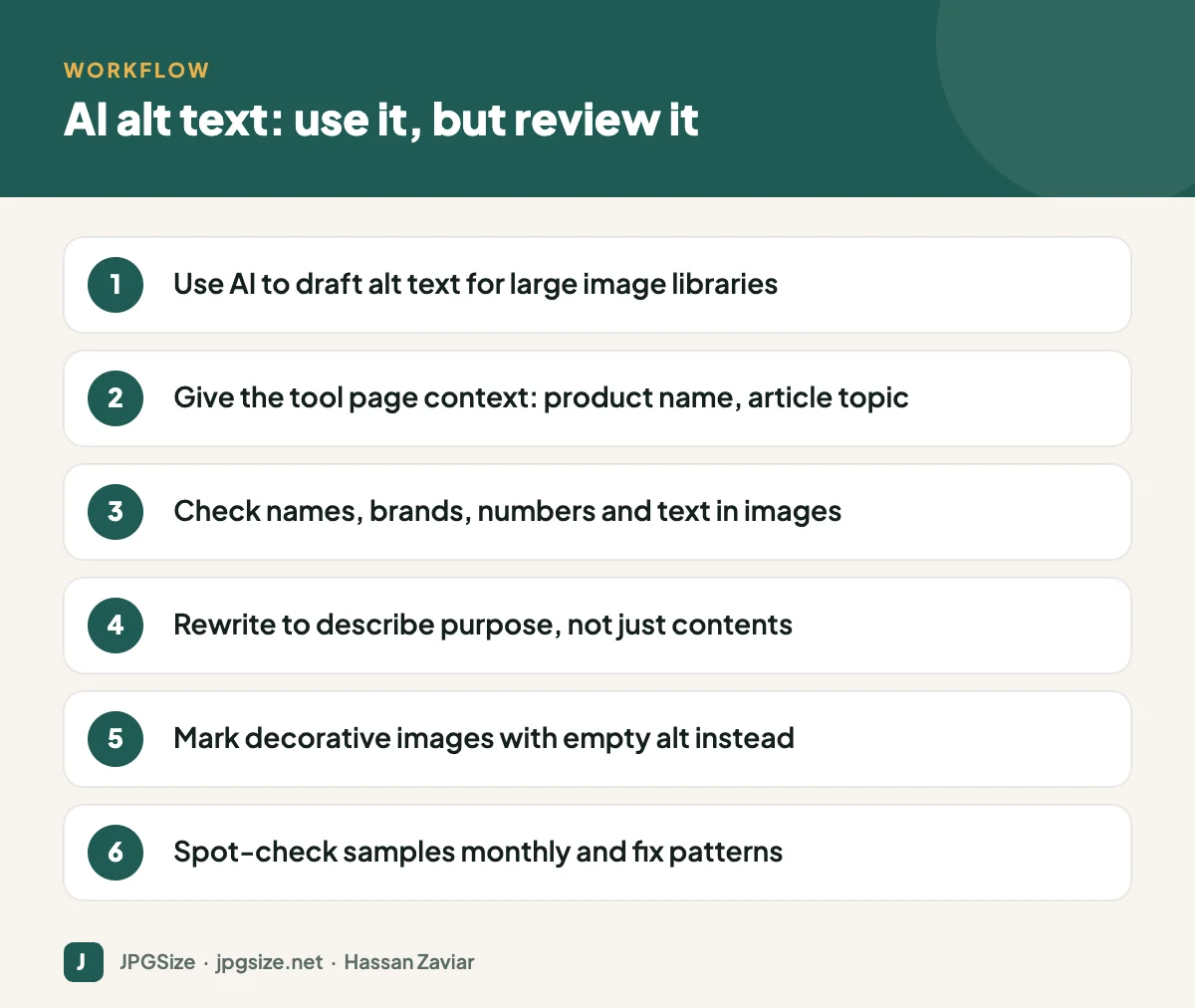
A practical workflow
- Audit first. Use your SEO plugin or a crawler to list images with missing alt text, and prioritise high-traffic pages and product images.
- Generate drafts in bulk with an AI tool, feeding context where possible (product name, page title).
- Review by priority: product images, charts, screenshots and images of people get human review; generic decorative or stock images can be spot-checked.
- Set rules for the tool: maximum length, no “image of”, no guesses about people’s personal characteristics.
- Build the habit for new uploads: writers add alt text as they publish, with AI suggestions as a helper.
- Spot-check monthly and fix recurring errors, for example the tool consistently misnaming a product.
Does AI alt text help SEO?
Accurate, relevant alt text helps search engines understand images, so good AI drafts can help compared with nothing. Generic or wrong descriptions add little, and keyword-stuffed AI output can look spammy. The biggest SEO value comes from specifics, such as product names and meaningful context, which usually need a human. For the wider view on using AI in content, see how to use AI for SEO content.
Accessibility and legal considerations
Accessibility standards such as WCAG require meaningful text alternatives. Automatically generated descriptions may not meet that bar for complex or important images, and accessibility laws in several regions apply to business websites. Treat AI as a productivity tool within an accessibility process, not a substitute for one.
Choosing an AI alt text tool
If you are selecting a tool rather than using one built into your CMS, compare these points:
- Context awareness: can it use the page title, product name or surrounding text, or does it only see the image?
- Bulk processing: can it update existing images in the media library as well as new uploads, and does it overwrite alt text you have already written? It should not.
- Language support: if your site is multilingual, check description quality in each language.
- Controls: length limits, banned phrases such as “image of”, and the ability to skip decorative images.
- Privacy: where images are processed and whether they are used to train models, especially for photos of customers or staff.
- Cost: per-image pricing adds up quickly on large catalogues, so run a pilot on a few hundred images first.
Whatever you choose, measure quality on a sample before running it across the whole site. Reviewing 50 generated descriptions against the images takes about half an hour and will tell you whether the tool is fit for your content.
Frequently asked questions
Is AI-generated alt text good enough?
For generic images and large backlogs it is a big improvement over missing alt text. For product images, charts, screenshots and people, review and edit it, because context and specifics usually need a human.
Does Rank Math generate alt text automatically?
Rank Math can add alt text automatically from file names or titles, and its Content AI features can write image alt text. Review the output, especially for important images.
Can AI describe charts accurately?
It can describe the type of chart and sometimes read values, but it often misses or misstates the key insight. Write the main takeaway yourself and put detailed data in the page text.
Should decorative images have AI alt text?
No. Decorative images should have empty alt text so screen readers skip them.
Sources and further reading
- W3C WAI: Images tutorial
- W3C WAI: An alt decision tree
- Google Search Central: Image SEO best practices
About the author: Hassan Zaviar writes about image optimization, SEO, AI and digital marketing for JPGSize and works on the site’s free browser-based image tools. Last reviewed: 24 September 2026. Spotted something out of date? Tell us and we will update it.

